
When does a Shopify wholesale buyer need one bulk order form?
A fittings distributor gets the same buyer every Tuesday, forty SKUs, a case quantity on each line. That person will not walk forty product pages. The useful question is when one grid does the job, and when Shopify companies and catalogs already cover it. On this check we opened the live listing of OO ‑ B2B & Wholesale, the module map, the articles on what a bulk form is, where it shows, which customer sees which form, the three visibility rules, order limits, repeat orders, and Shopify Help on catalogs and companies. Help describes companies, catalogs, quantity rules, and draft review. It does not describe a storefront grid where each customer sees exactly one form, chosen by named customer, then tag, then login. This note draws that line. It is not a click-path for placing the block.
Read it again if bulk forms leave the Growth card, if the visibility priority in the docs changes, or if Help publishes a grid with that same order. Prices and the review count are from this morning.
The order that actually needs a grid
A bulk form is the right shape when the buyer types quantities once. A different price per company is a catalog problem, not this one.
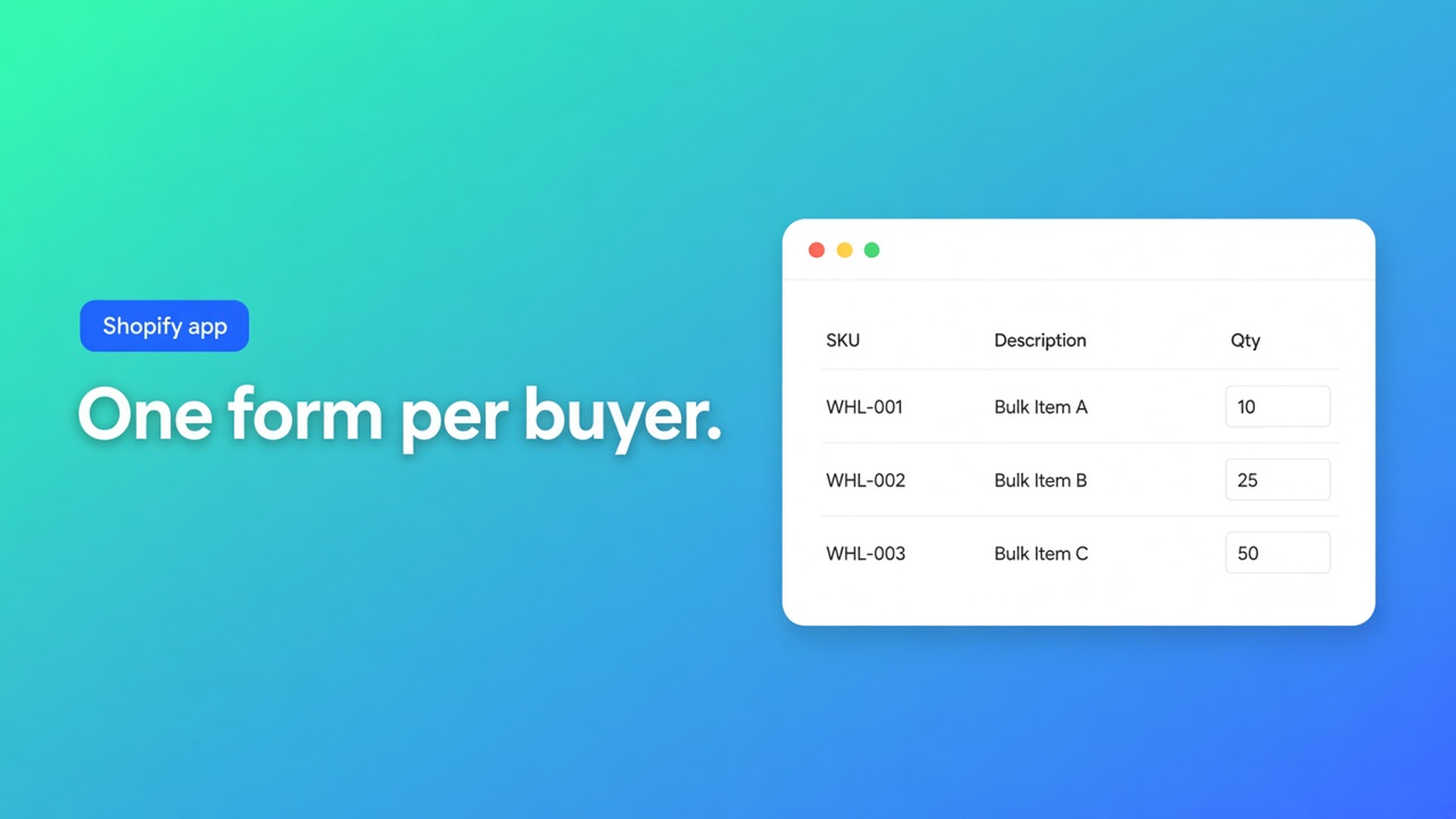
Several products or variants on one overview, a quantity on each row, one add to the cart.
Who sees the form is a rule: everyone, logged-in customers, tags, or customers you pick by name. A guest does not see a logged-in form.
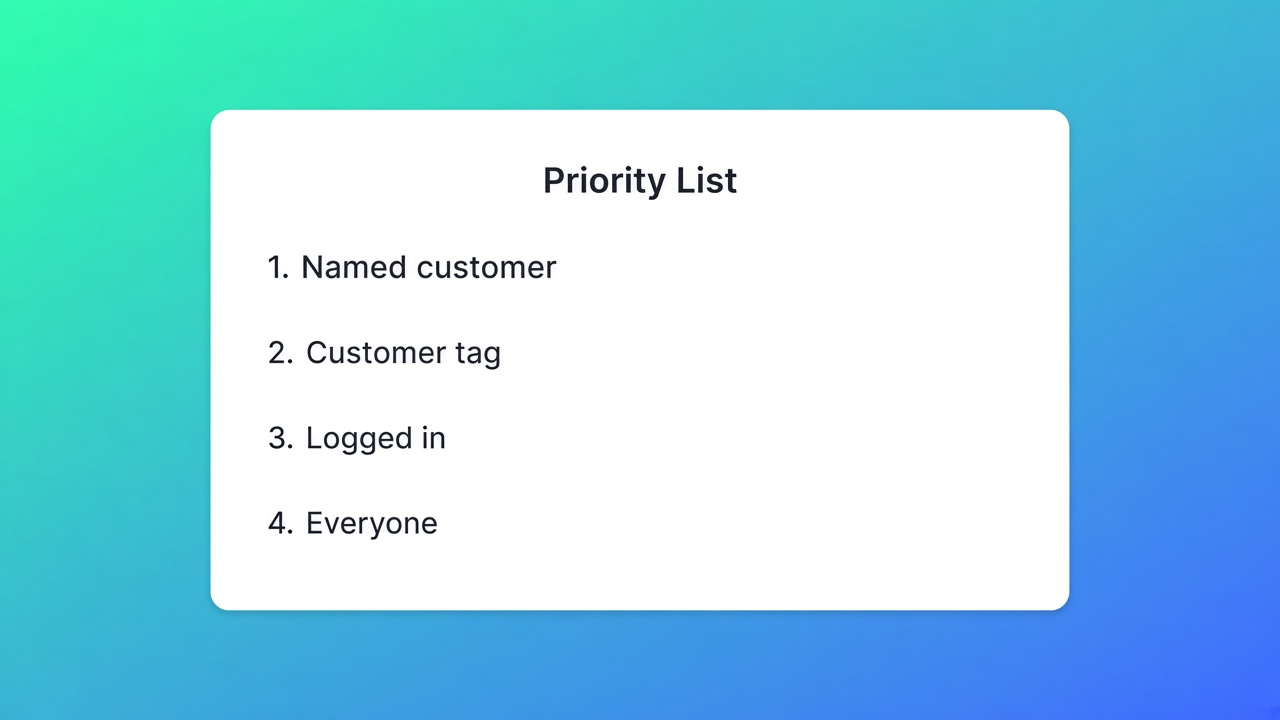
Each customer sees one form. When rules overlap, the most specific match wins.
The form is on, and the theme block sits on the published theme. “Bulk Order Page Active” means the block is on that theme. It does not mean this customer can see the form.
The plan includes the module. On the listing and on the module map, that plan is Growth. Free and Starter do not include it.
A minimum order is a second module, Order limits, also Growth. It is not a checkbox inside the “what is a bulk form” article.
Skip the grid if the first or the third line is not your case. A catalog with volume breaks is often enough. Skip the storefront if the plan is wrong: the grid can exist in the app and still be absent from the shop.
One customer, one form, two places
A bulk form holds products or variants, a quantity per row, B2B prices, and a visibility rule. You configure that in the app. You can create more than one form. Each customer sees one, and only while the form is enabled. That is What is a bulk order form.
Place is a theme choice. Visibility is not. Where the forms appear allows the product page (variants of that product, next to the details) or a dedicated order page (many products, little browsing). Both at once is allowed. The rule decides who, not where. Product page versus bulk order page points at the product page for a small catalog or a retail-plus-wholesale shop, and at the dedicated page when the buyer already knows the SKUs. Keep prices and rules aligned unless the difference is deliberate.
Which form a customer sees fixes the order. Only enabled forms are considered.
If more than one form could match | The winner | What that means on a Tuesday order |
|---|---|---|
The buyer is named on a form | That form | A tag on another form loses |
No name, but a tag matches | The tag form | One matching tag is enough |
Logged in, no name, no tag | The logged-in form | A guest never sees it |
None of those, and a public form exists | The public form | The guest can use it |
Tags are OR. B2B or Wholesale is enough, and the customer still has to be logged in. A tag you type in the app is not written onto the Shopify customer by itself. Named customers must be logged in too. Someone already assigned to another form cannot be picked again. Remove them, and access drops immediately. Those rules are in the articles on tags, specific customers, and logged-in customers.
Growth, the block, and the minimum
Same morning on the listing: Built for Shopify, 5.0 from 34 reviews (33 fives, one four), launched 9 February 2024, language English, works with Checkout, Flow, and Admin. Visible cards: 6 October Sensorkranenwinkel.nl, 11 June POPlab Sounds, 21 April Rohleder AT. The four-star text was not on those cards. Resources show the privacy policy. This fetch has no App Documentation row. The docs collection is still the source for limits.
Plan | Price on 8 November 2026 | Bulk form |
|---|---|---|
Free | $0 | Not included. One pricing rule and one registration form |
Starter | $22 / month or $220 / year | Not included. Unlimited prices, VIES, tax display, login to see prices. 14-day trial |
Growth | $37 / month or $370 / year | Included, with draft checkout, repeat order, quotes, AI formulas, order limits, and the wholesale cart. 14-day trial |
The module map, last updated 26 days ago on the page, puts bulk forms, quotes, order limits, and the wholesale cart on Growth. Free and Starter stop earlier. Founder accounts include the Growth modules. That sentence is in the docs. It is not a second price on the listing. Theme setup splits. Pricing, tax display, login-to-see-prices, and order limits share the app embed. Bulk forms, quotes, the cart, and registration are a block on a template. Without the block, the shop shows nothing, even when the app still holds the configuration. A theme change does not delete that configuration. You add the block again.
Bulk Order Page Active turns green when the extension is on a page template of the live theme and you saved. It does not check login, tags, or whether products are in the form. Green, and still empty for a guest, is normal when the rule is “logged in.”
Order limits live under Order management. Order limits stop a cart that misses a minimum or breaks a maximum: quantity, an increment such as multiples of six, order value, or kilograms from line weight times quantity. The buyer sees a popup. The embed loads the check on product, cart, and checkout. It does not change the price on the form. A minimum means two Growth pieces: the form, and this module. The grid alone is not an MOQ.
Repeat sits on the same bulk module. Repeat orders let the buyer place a previous bulk order again without retyping every quantity. Off, and the action is absent. The listing names repeat order on the Growth card. It is a switch, not an automatic result of “form enabled.”
When companies and catalogs are enough
Catalogs and pricing in B2B, read 8 November 2026, let you include or exclude products, apply a percentage or a fixed price, and set quantity rules and volume pricing. On Basic, Grow, and Advanced you can have up to three active catalog assignments across active B2B markets. The same catalog on two markets counts as two. Plus drops that cap, and only Plus assigns a catalog directly to a company location. A deposit on payment terms shows up in the companies article as a Plus option while editing terms.
Companies, same morning: B2B customers are companies. A location carries a tax ID, exemptions, addresses, prices, and contacts. Orders can arrive as drafts for review, or go straight through. Shopify Tax can validate an EU or UK VAT number. The quick-order-lists URL opened the B2B overview this morning, not a page that describes a tag grid with the priority above. That priority is cited from the app docs only.
Native is enough when you stay inside three assignments, you create the company yourself, the price break lives on the catalog, and nobody needs a private grid per tag. The form starts when that buyer wants one page for forty SKUs, one form per customer, and a rule that keeps guests out. The Plus boundary against this app is the 4 November note. VIES is a different requirement and lives in the checklist. Which plan carries the bill as volume grows is the 7 November note. Theme placement is the 5 November note.
The app index on this site is apps. Shopify apps as a service: apps and integrations.
Primary sources
Listing: OO ‑ B2B & Wholesale.
Where this lands today
On 8 November 2026 a bulk order form is the right tool when the buyer wants many SKUs on one grid, one form per customer, and a rule that keeps guests or the wrong tag out. That module is on Growth, $37 a month or $370 a year, and a minimum is a second module on the same plan. Stay with catalogs while three assignments and a volume break do the work. OO ‑ B2B & Wholesale wins this use case on that published gap, not because Help already describes the grid. Re-read the Growth card and the priority the day either one changes.
This blog is presented to you by

Floris-jan de Vries
Co-owner / Back-end developer / Shopify Expert
As a full-stack developer, Floris-Jan ensures the technical logic behind the design. He also uses his extensive knowledge of Shopify every day to provide our clients with the best possible support.


The Shopify Select partner for ambitious e-commerce businesses that want to grow!

Services
Reviews
5/5
Mail: info@onlineorigins.nl
Tel: 073 234 0612
KVK: 89825624
BTW: NL865123639B01
Bruistensingel 500,5232 AH 's-Hertogenbosch Cookies
© 2026 Online Origins