
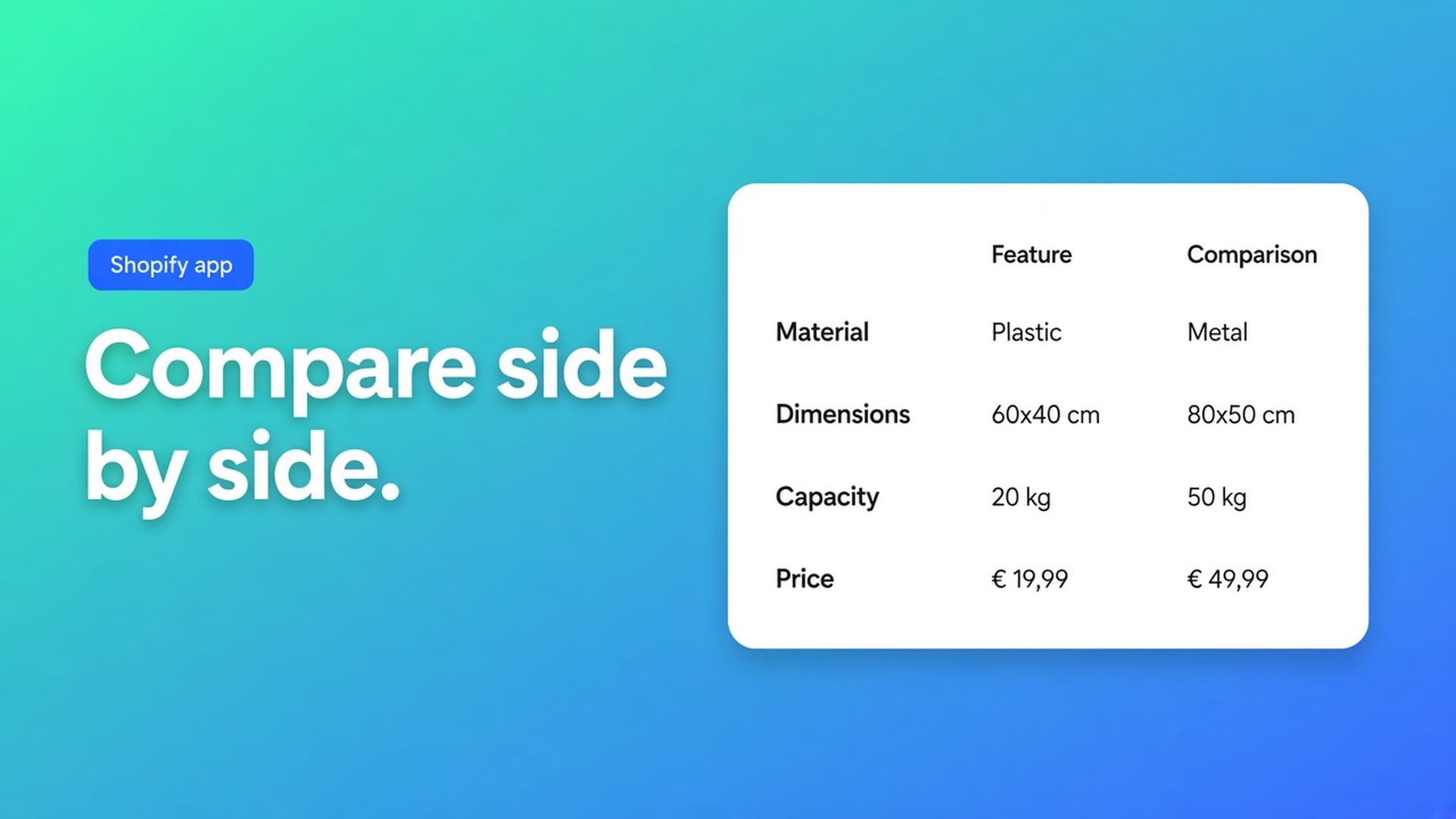
When does a Shopify catalog need a product comparison tray?
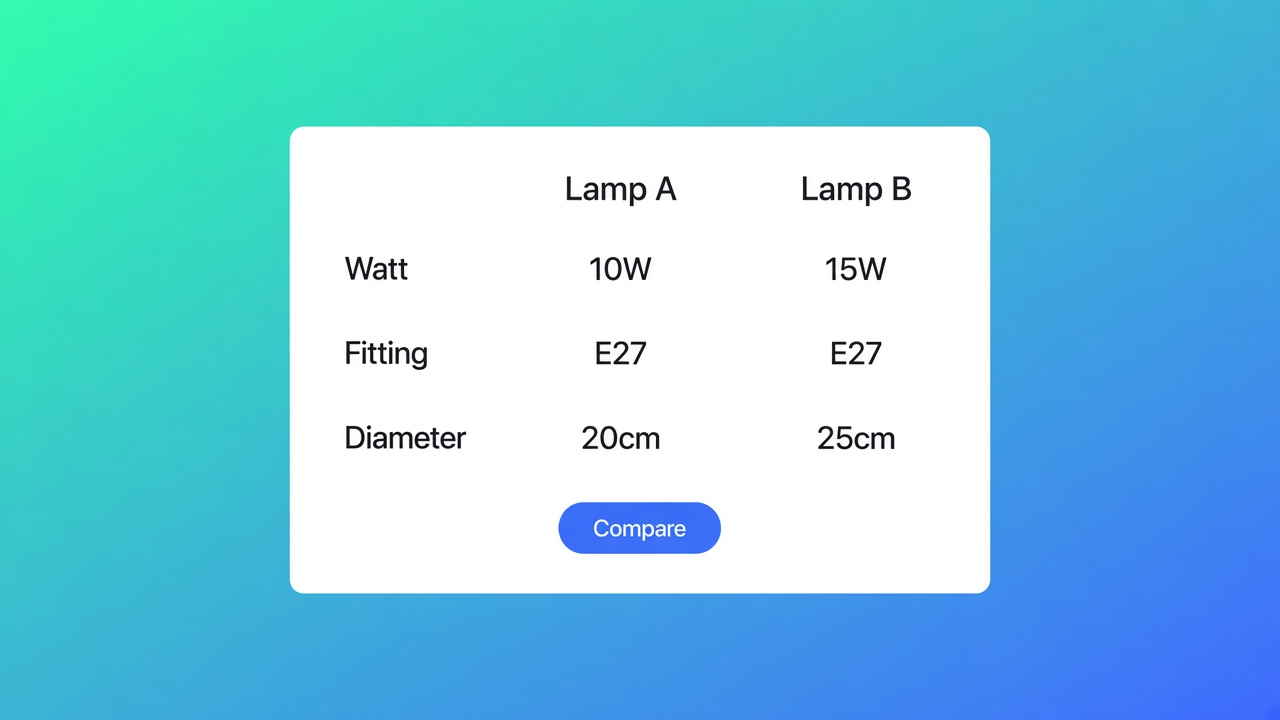
A lighting catalog has twelve pendants in one collection. The shopper wants wattage, fitting, and diameter side by side, not twelve tabs. The question is when that is a comparison tray, and when a metafield on the product page is already enough. On this check we opened the live listing of OO ‑ Advanced Table Builder, the table-type overview, the comparison-table article, the placement options, the app embed, auto-placement, the theme blocks, and Shopify Help on metafields. Help will show a metafield, including a popup size chart for a single product. It does not describe a tray where the shopper picks two products and the cells fill from each live product. This note is that gap. It is not a drag-and-drop guide, and it is not a scorecard against other apps.
Read it again if the listing grows a paid plan, if the embed stops being required for the tray, or if Help ships a pick-your-own compare flow. The review count and the price are from this morning.
What “compare” has to mean
Without these five, it is not a product comparison, even when a category chip says compare.
The shopper picks two or more products. Rows are attributes. Values come from each live product, not from a cell you typed per product.
The app embed is on for the live theme. Without it there is no tray and no modal.
There is an Add to compare control: a theme block, or an automatic button under the price when that block is missing.
Collection cards get the button only if you turn that on separately. A button on the product page is not a button on the card.
Us vs Them is a different table. Fixed rows about your brand, not a shortlist from the collection.
A static “us versus them” misses the first line. A specs block for one product misses it too.
Tray, modal, and the card
Comparison table, last updated about two months ago on the page: you define the rows (weight, price, options, custom attributes) and group them under headings. Product 1 and Product 2 in the admin are preview labels only. The storefront fills cells from the product the shopper selected. The page is blunt: do not hard-code per-product cell values on live comparison rows. Design covers grid, cards, or spotlight, plus the modal, the tray, and the button.
Placement, from that article and from Comparison placement options:
Piece | What it does | If you skip it |
|---|---|---|
App embed | Tray and modal, including the automatic button | No compare on the storefront |
Compare block | Button where you place it | Only the automatic button, if that is on |
Auto-inject under the price | Add to compare under the price when the block is absent | No button, unless the block is there |
Show on product cards | Button on collection and product-card grids, where the theme allows it | Product page only |
Enable the app embed: Online Store, Themes, Customize on the live theme, Theme settings, App embeds, Tables, Specs & Comparisons, Save. Theme blocks alone do not give you the tray, the automatic button, a size chart above Add to cart when no Size chart block is present, or a shortcode. Auto-placement repeats the compare rule. If the Compare block is missing, each comparison table can opt in to a button under the price, from Settings. The tray still comes from the embed. Specs have no inject beside Add to cart. They use the Product specs block. Tabbed and Us vs Them are chosen in their own block, or with a shortcode.
Place tables with theme blocks calls the Compare block “optional manual Compare placement.” The block can sit on product, collection, page, and other templates. The article’s placement tip is about a size chart or specs near the price and the buy button. The card button is the separate setting, not that tip.
What the listing does and does not promise
Listing on 8 November 2026: Free. The header does not show a Built for Shopify badge. A text search of the page finds that phrase zero times. Rating 5.0 from 1 review. The only card is 24 September 2026, in Dutch, about specs and comparisons. This fetch shows no shop name and no developer reply. Launched 17 September 2026. Language: English. Works with Shopify Admin, AI, Excel, and Google Sheets. The hero names size charts, specs, comparison tables, tabbed content, and Us vs Them, a visual builder or an AI draft from text or a screenshot, metafields so values stay current, and translation of customer-facing text. Category chips also say Recommendations, Filter and sort, and Analytics. Those chips are not features in the overview. They are not claimed here.
Resources: the privacy policy, and a FAQ that points at the troubleshooting collection. There is no row labeled App Documentation to the main collection. The articles above still open. Data access: store owner and blog contributors (email, IP, browser), products and collections, theme and Online Store pages, files, locales. Order history is not in that list. Narrower than a checkout app. The privacy policy is the general page: personal information is not stored outside Shopify, logs last only while an issue is open, no third-party sharing except when the law requires it. No separate processing agreement on the page.
There is no Premium card. Advice that quotes a paid tier is about another app, or an old note. A fit recommender, a shareable compare link, and metaobjects as the tray’s source are not in these articles. AI can draft a table. The docs still tell you to review module types. That is a different job from the tray.
The app page on this site is Advanced Table Builder. The price stays the listing: Free.
When a metafield is the whole answer
Metafields, read 8 November 2026, let you hang your own fields on a product. The closest examples to a lighting catalog: a furniture shop shows width, height, and depth in their own section, or a clothing shop shows a size chart as a popup from a product metafield. A theme with dynamic sources connects that field in the theme editor. That is one product, one field or one popup. The shopper does not pick a second pendant, and the cells do not fill from two live products.
Stay with that metafield when the page explains one product and the measurements rarely change. The tray starts when the collection is the shortlist: the shopper sets two or three lights side by side, the rows match, and the values must not drift because someone typed them twice. An Us vs Them table explains why your brand wins. It is not a shortlist.
Which block belongs with a size chart is the 1 November checklist. The line between a metafield and a table is the 4 November note. Speed, and why a missing badge means no invented Lighthouse delta, is the 5 November note. Which docs sentence may carry a claim is the 6 November note. The AI generator is a different requirement and lives in the 7 November note.
Shopify apps as a service: apps and integrations.
Primary sources
Listing: OO ‑ Advanced Table Builder.
Where this lands today
On 8 November 2026 a collection needs a comparison tray when the shopper picks the products and the cells come from those live products. That needs the embed, plus a button from the block or from the inject under the price, and a separate switch for the card. A metafield or an Us vs Them table is not that. OO ‑ Advanced Table Builder is Free, with no Built for Shopify badge and one review. Re-read the embed sentence and the price the day either one changes.
This blog is presented to you by

Floris-jan de Vries
Co-owner / Back-end developer / Shopify Expert
As a full-stack developer, Floris-Jan ensures the technical logic behind the design. He also uses his extensive knowledge of Shopify every day to provide our clients with the best possible support.


The Shopify Select partner for ambitious e-commerce businesses that want to grow!

Services
Reviews
5/5
Mail: info@onlineorigins.nl
Tel: 073 234 0612
KVK: 89825624
BTW: NL865123639B01
Bruistensingel 500,5232 AH 's-Hertogenbosch Cookies
© 2026 Online Origins