
Shopify show/hide product fields after a choice, not a SKU grid
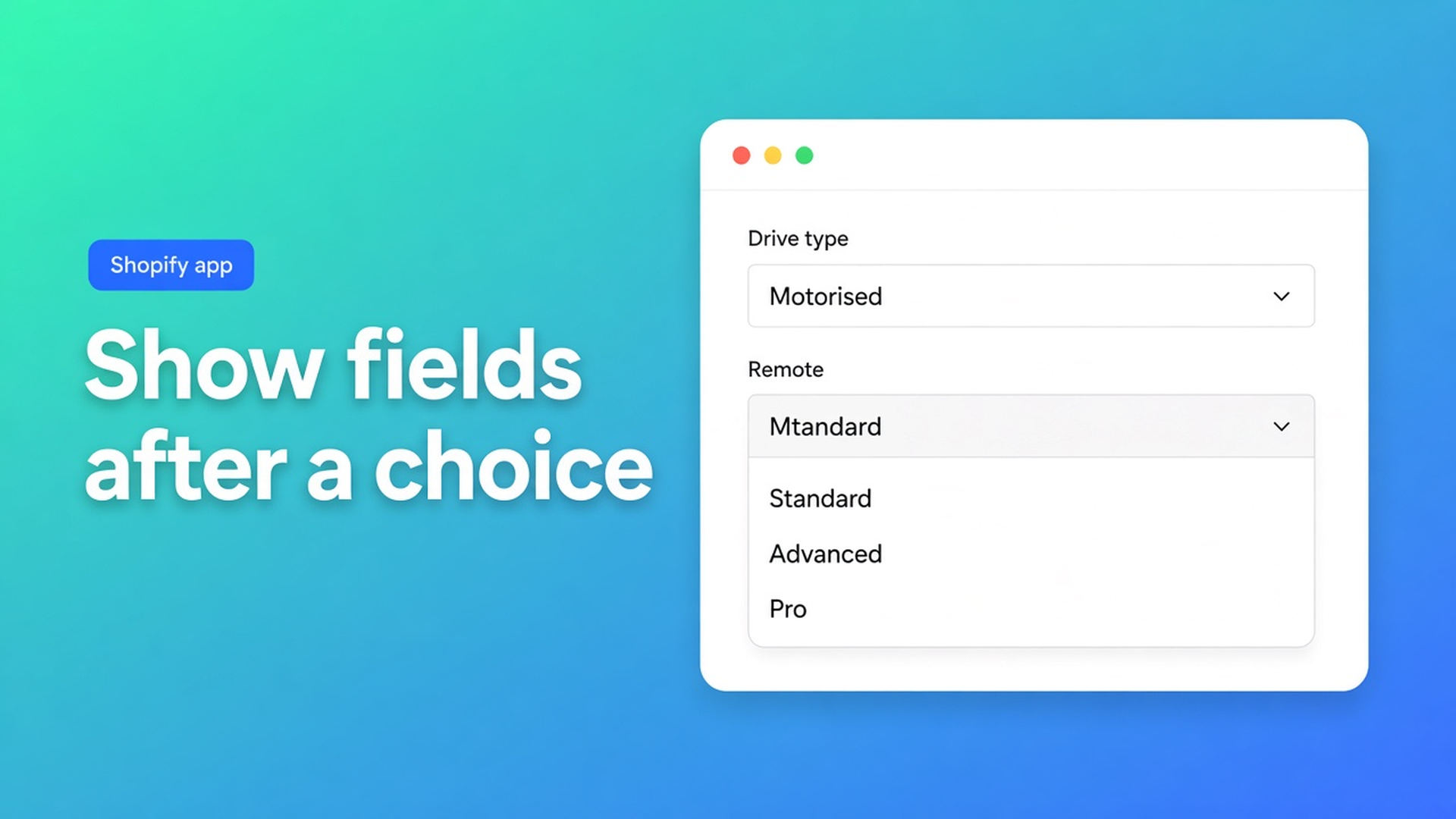
You want the remote dropdown gone until the shopper picks motorised. That is Shopify show hide conditional product fields — the input itself, not a cheaper total. Checked 8 November 2026: Options Price Calculator listing, docs Plans & usage limits and Variables and field values, Shopify Help Adding variants. If the $39.99 card drops the show/hide line, or the Plans article finally documents it, reread this before you quote “Premium hides the field”.
We already covered the *price* side: conditional product option logic and conditional pricing. This post is the screen. Same calculator, different listing bullet.
Native options cannot disappear
Shopify Help (8 Nov 2026): three options per product, 2048 variants. There is no “show option 2 only when option 1 is Motor”. Every option stays on the product page. Every combination is a variant, including the ones you will never cut.
Drive type × remote × fabric colour eats the three-option cap. You still cannot hide Remote on a corded unit. A fourth choice such as a continuous width never fits — same wall as more than three product options. Theme inputs `properties[Remote]` can be toggled with JavaScript. They do not change the price. We documented that separately: line item properties do not change price. Hidden or not, checkout still charges the variant.
Workarounds that leave the field on screen
SKU soup. You invent “None” as a remote value for corded units so the grid is complete. Shoppers still see the dropdown. Support still gets corded + premium remote.
Two products. “Motorised awning” and “crank awning”. The field vanishes only because the whole URL vanished. Reviews split. Anyone who switches drive type starts over.
Theme JavaScript. `display:none` until a select equals Motor. A theme update breaks it. The cart total never knew about the remote.
None of that gives you extra fields beside your three inventory options, a field that appears only after a choice, and a price that matches.
The listing splits “conditional” in two
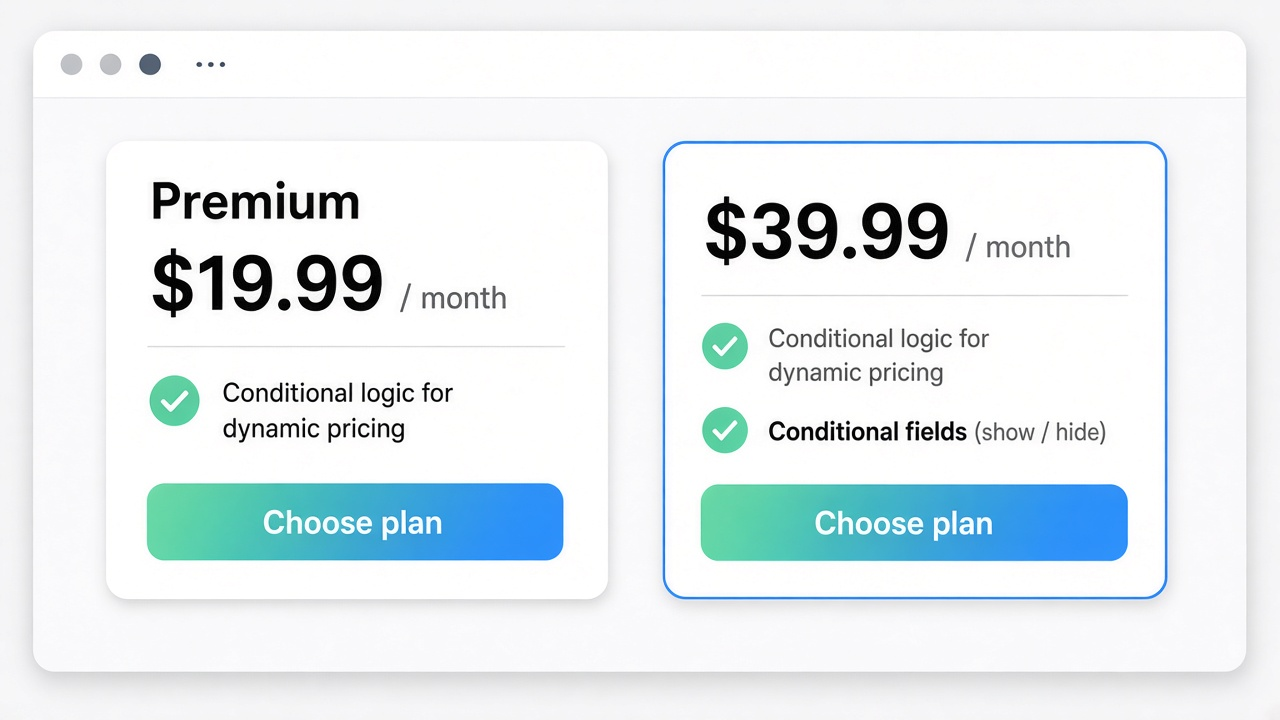
Listing check, 8 Nov 2026, Options Price Calculator: Built for Shopify, 5.0 from 30 reviews. Plan tabs: Free, Starter, Premium, Ultimate. The bullet Conditional fields (show / hide) sits on the $39.99/month card with draft-order checkout, admin draft-order tools, free setup, and highest priority support. It is not on Premium.
Premium $19.99/month lists Conditional logic for dynamic pricing — if/then on the *amount*. Docs Plans & usage limits (updated ~two months ago) still describe three plans, USD defaults $0 / $9.99 / $14.99, and “Conditional formulas” under Premium. No $39.99 tier. No show/hide sentence. Treat the listing as source of truth for price and plan gates. Treat the docs as source of truth for formulas and `{key}_optidx` inside *conditional pricing rules*.
Plan (listing 8 Nov 2026) | Price | What “conditional” means here | What it does not do |
|---|---|---|---|
Free | 20 uses; card copy “Ultimate Plan for Free” | Neither show/hide nor if/then pricing | Calculated checkout after the 20th order |
Starter | $9.99/month | Unlimited options + a standard formula | Hide a field; apply a threshold surcharge |
Premium | $19.99/month | Conditional logic for dynamic pricing on the total | Take the field off the page |
Ultimate (top card) | $39.99/month | Conditional fields (show / hide) plus draft-order checkout | Add a fourth native Shopify option |
Sources: listing 8 Nov 2026; Plans doc (no $39.99; Premium default in the article still $14.99). If either source moves, the table is stale.
Starter vs Premium (price conditionals, preview, lookup) lives in OPC Starter vs Premium. The same $39.99 card’s draft-order line is draft order checkout custom price. Conditional pricing is the `width > 200` surcharge. Calculator visibility in docs General hides the *whole* calculator by login or customer tag — not one field.
What I would actually ship for a countertop shop
Take the listing review pattern: instant estimates for countertops. Colour and edge profile stay variants if they are stocked SKUs. Cut-out (none / sink / hob) and template-visit fee do not belong in the variant grid.
On Starter you can already collect both as calculator fields and use `product_price + cutout + visit`. The visit fee still shows when the shopper picks “no cut-out”, unless you add Premium if/then so the fee only enters the sum when a cut-out exists. That is pricing logic. The shopper still *sees* “template visit”. They can toggle it on a slab with no cut-out. Ops then has to ignore the line or refund it.
If the visit field must not render until a cut-out is selected, the listing on 8 Nov 2026 puts that on Conditional fields (show / hide) at $39.99. There is still no docs how-to for that control. I will not invent builder clicks. I will say this: Premium $19.99 changes the total; it does not blank the field. Do not write “Premium show/hide” into a statement of work.
OPC fields are not inventory SKUs. Native stays at 3 options / 2048 variants. Show/hide does not raise that cap.
Free plan 20 uses is a lifetime calculated-order cap. It is not a trial of show/hide. If you need the field gone, you are on the top listing card.
Getting it live without mixing the two gates
Read Pricing on the listing first. If you only need a different total after a choice, buy Premium. If the input must leave the page, you are reading the $39.99 bullet.
Keep stocked finishes as variants. Put dependent questions in the calculator. Get the formula and Add to cart right before you hide anything — otherwise you debug an empty form and a wrong total at once. Check calculator visibility separately: audience is not field logic.
Re-check prices on the listing. On 8 Nov 2026 Premium was $19.99 (docs still print $14.99) and show/hide was $39.99 (absent from the Plans article).
Closing
For that countertop catalog I would keep finishes as variants, put cut-out and visit in the calculator, and prove Premium if/then on the sum first. I would only move to $39.99 when ops keeps receiving “visit booked, no cut-out” lines — because the listing, not the Plans doc, is what currently prints Conditional fields (show / hide). Shopify show hide conditional product fields is not a fourth native option and not a CSS trick on `properties[]`. Native Shopify never hides an option. Listing 8 Nov 2026: show/hide at $39.99, pricing logic at Premium $19.99. If either source changes, this recommendation is void.
Install from the Options Price Calculator listing and read both “conditional” bullets on the plan cards before you sign a build.
This blog is presented to you by

Floris-jan de Vries
Co-owner / Back-end developer / Shopify Expert
As a full-stack developer, Floris-Jan ensures the technical logic behind the design. He also uses his extensive knowledge of Shopify every day to provide our clients with the best possible support.


The Shopify Select partner for ambitious e-commerce businesses that want to grow!

Services
Reviews
5/5
Mail: info@onlineorigins.nl
Tel: 073 234 0612
KVK: 89825624
BTW: NL865123639B01
Bruistensingel 500,5232 AH 's-Hertogenbosch Cookies
© 2026 Online Origins