
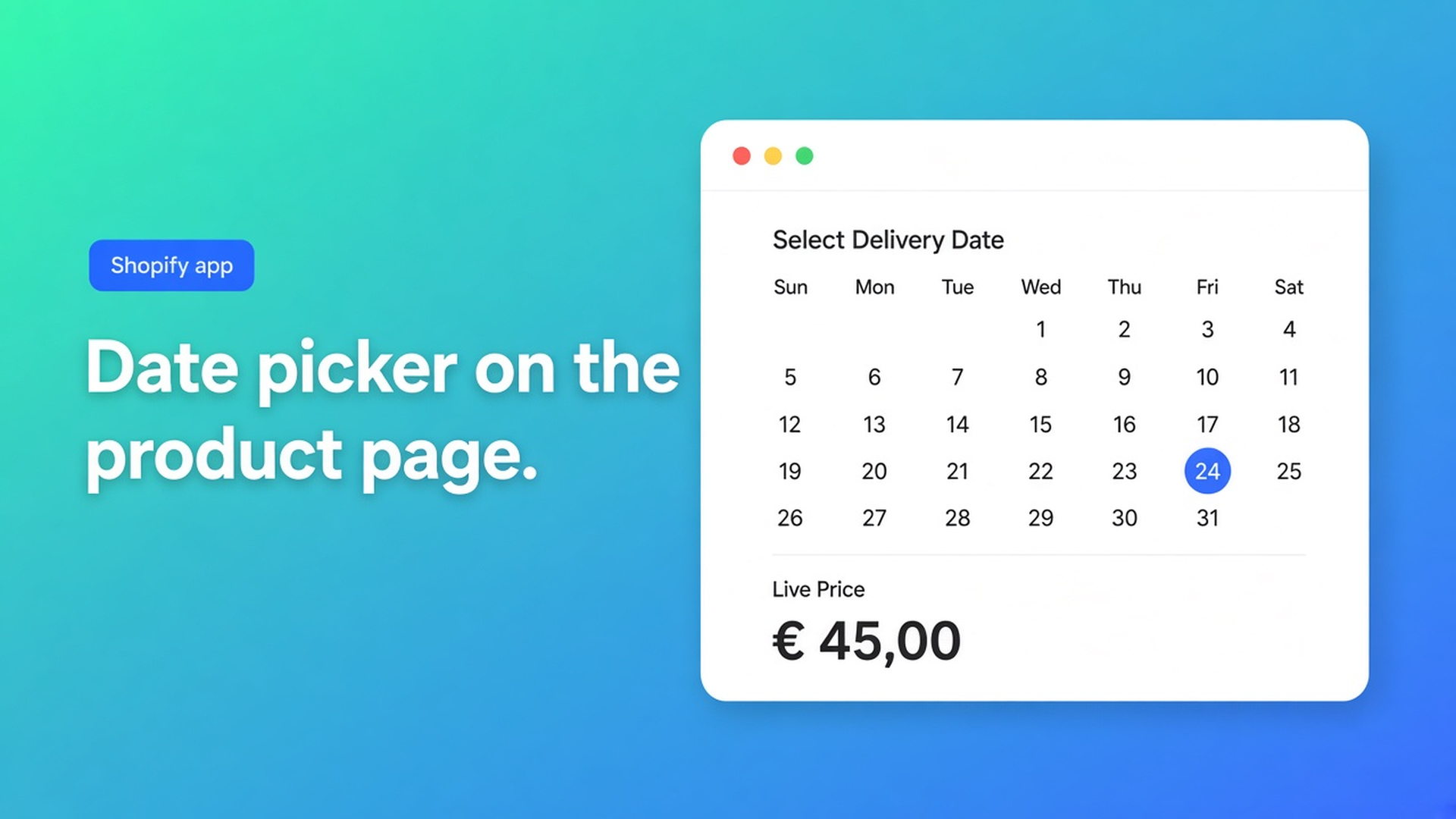
Shopify date picker product option: a calendar, not a SKU per day
Someone wants the cake topper engraved for Saturday. Your product already uses Color, Size, and Material. Shopify will not give you a fourth option named Date. Turning each calendar day into an option value fills the variant grid with cells you will never stock. A Shopify date picker product option is a calendar on the product page, the chosen day on the line item, and zero extra SKUs.
Adding variants caps you at three options and 2048 variants. A date is not Size. Theme line-item properties (`properties[Delivery date]`) store a string and do not change the price. That is why shops mail a rush fee after checkout.
We already covered why continuous dimensions do not fit variants. This time the axis is a day, not a millimetre. The Options Price Calculator listing lists Dates under Customization.
Shopify variants are stock combinations, not a schedule
Variants exist so you can inventory a combo and attach media. “12 October” is not a bin location. A dropdown of the next sixty days burns one of your three option slots and still is not a calendar UI.
Shopify’s own help: more options or more variants means an app, or theme code that reads line-item properties. Properties do not calculate. A native option cannot express “add a fee if the date is inside two working days.” That logic sits *after* the date, if you have it at all.
Keep finish or metal as variants. Do not keep every possible fulfilment day as an option value.
Workarounds that fill the inbox
A “pick a week” dropdown. Monday / Wednesday / Friday until someone wants Sunday, or production runs six weeks out. The list grows; you still do not have a calendar.
A text box. Shoppers type `10/12`, `asap`, `next Fri`. The warehouse decodes it. No required gate, no stable format.
Theme properties only. The order shows the day. Checkout charges the variant price. You chase the difference later.
One variant per day so it “sits in inventory.” That is how you spend 2048 cells on dates nobody picks.
None of those paths: calendar widget, required before Add to cart, consistent value on the order, no extra variants.
Calendar field, date string, price from everything else
Options Price Calculator is Built for Shopify (5.0 from 26 reviews). Unlimited options, formula pricing, live totals, no extra variants. Starter $9.99/month: unlimited options, formula builder, metafields, multilingual. Premium $14.99/month: conditional logic, font picker, live preview, price breakdown. Free: 20 uses; always free on a Shopify Develop plan. Billed in USD.
The Date Picker article: shoppers pick a date in a calendar. Typical uses: delivery, appointments, scheduling. The field does not change the price by itself. Later calculator steps can read the value for conditional logic or pricing rules.
Label sits above the control. Docs example: `Preferred delivery date`. Keep it obvious on the storefront.
Key is the id. Lowercase letters, numbers, underscores only. Docs examples: `delivery_date`, `appointment_date`. Later steps look this key up.
Required field blocks Add to cart until a date is chosen. Turn it on when fulfilment cannot start without the day. Leave it off for optional scheduling.
Docs tip: prefer the Date Picker over free text so formatting stays consistent and invalid strings stay out.
Variables and Field Values: the Date Picker exposes the selected date string. You usually reference it from conditional logic rather than adding it into the price. `product_price + delivery_date` is not a formula. Width is a number. A date is not.
Conditional formulas are Premium (Conditional Pricing). Do not promise a rush surcharge on Free or Starter. On Starter the calendar is fulfilment data: the day is on the line, the money comes from `product_price` plus numeric fields (numbers, checkboxes, dropdowns).
Rich Text beside it can say “allow five working days.” Rich Text is display-only and is not a formula variable.
Install the theme app extension on the product template, price above, Add to cart below. Bind price and cart selectors to your theme’s markup; custom themes use the selector picker. Server-side price validation is there so the browser is not the last word. The date travels as extra line data — confirmation mail and admin — not as another Shopify variant.
Linking Products & Variants can share one calculator across a series when only `product_price` changes.
Example: metal tag, finish as SKU, day as calendar
Two native values: brass / stainless. That is one option. No Date option.
On the calculator, top to bottom:
Date Picker, label `Preferred engraving date`, key `engraving_date`, Required on
Custom text for the name (listing: Custom text)
Starter formula: `product_price` plus whatever numeric add-ons you configured — do not add the date into the sum
Shopper picks stainless, types “Sam”, selects 12 October. Live price is the variant price. The line shows 12 October. You schedule the laser. There is no SKU `stainless-12-october`.
A “within 48 hours” fee belongs only on Premium conditionals, and only with rules you actually configure. Do not invent comparison operators the Date Picker docs do not list. Until then: Rich Text for lead time, required calendar, planning in your own tools.
Get it live
Install Options Price Calculator. Free for 20 uses. Starter $9.99/month. Premium $14.99/month if the date must change the price.
Add the extension — How to Add the Extension to the Product Page.
Insert a Date Picker. Key `delivery_date` or `engraving_date`. Required when the day is mandatory.
Keep colour and material as Shopify variants. Keep dates out of variants.
Empty the field (should block when Required is on), pick a day, switch variants, check cart and the order.
Selector bindings exist because themes differ. That is not “works on every theme with zero setup.”
Wrap-up
A Shopify date picker product option is a keyed calendar, optionally required, with a date string on the order. It is not a fourth variant option and not a comments box. Native Shopify stops at three options and 2048 variants. Saturday is not a SKU. Price comes from the other fields; the date is not a number you add. Date-based surcharges are Premium.
Put the calendar in Options Price Calculator and let the next shopper pick a day without a variant for every date on the wall.

Custom webshops, websites, and applications combined with smart online marketing to help your business grow online!


Reviews
5/5
Mail: info@onlineorigins.nl
Tel: 073 234 0612
KVK: 89825624
BTW: NL865123639B01
Bruistensingel 500,5232 AH 's-Hertogenbosch Cookies
© 2026 Online Origins