
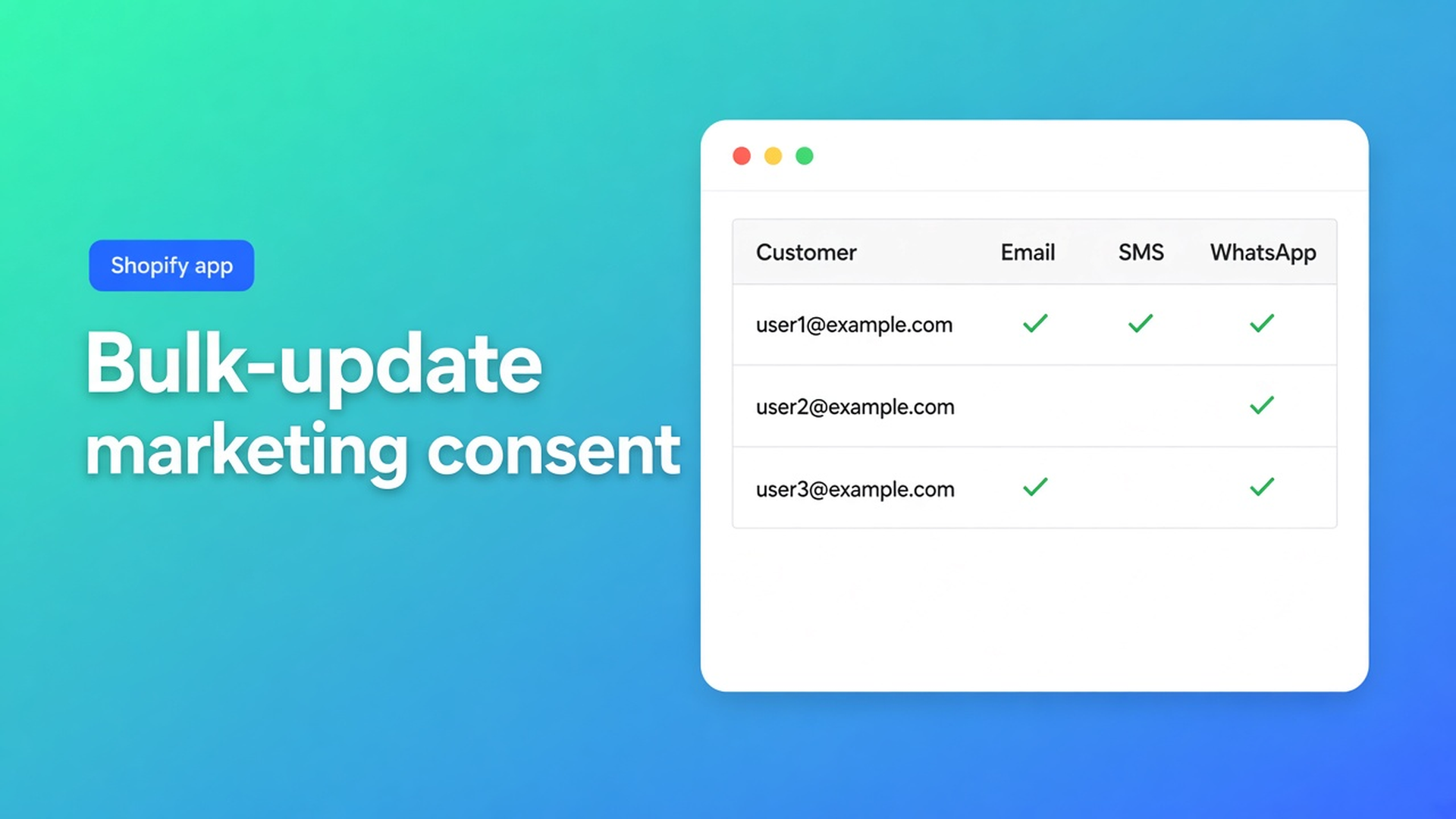
Bulk-update marketing consent in Shopify (email, SMS, WhatsApp)
After a migration, hundreds of customers sit on “unknown”. Or a spreadsheet says `yes` in the email column and Shopify refuses the row. Shopify bulk update marketing consent is not “mark everyone subscribed”. It is email, SMS, and WhatsApp in one grid, under the rules Shopify already enforces: a subscribed state needs a valid opt-in. Without it, the save fails. That is the platform, not the editor.
This article is consent at volume. Locale and tax exemption stay the listing USPs; here they are neighbouring columns you must not drag along. The app is OO - Bulk Customer Data Editor. We covered the spreadsheet editor earlier. That was the grid. This is the marketing fields.
Consent is a customer field, not a tag
Shopify stores marketing preference per customer, per channel. Email is the familiar one. SMS and WhatsApp have their own states. Shopify’s customer docs treat consent as customer data. A `newsletter` tag is not a subscribed state. Campaigns that filter on consent skip anyone you only tagged.
Admin bulk edit can change First name, Last name, Tags, Email, and Accepts email marketing. That covers one email flag on a selection. It is not a three-channel spreadsheet, not a “consent empty” filter, not SMS and WhatsApp in the same pass.
Admin CSV import (up to 15 MB) can carry consent columns. Overwrite on the same email replaces existing data. Yes/no values map to marketing states (yes → subscribed, no → unsubscribed). Subscribed without a valid opt-in can fail. Do not force it.
What you need after a move: find unknown or unsubscribed, set one channel per run, and read Shopify’s error when a row refuses.
Shortcuts that look tidy
Everyone subscribed in Excel. Fast until Shopify rejects the row, or until a complaint arrives. The FAQ: marketing consent must follow Shopify’s rules; subscribed needs a valid opt-in.
A `newsletter` tag only. Visible in Admin. Invisible to consent-based email. Those customers stay out of the campaign.
One profile at a time. Fine for forty rows. After that you open the same dropdown forty times.
None of that gives you three channel columns, bulk apply, and only changed fields sent to Shopify.
The marketing columns
OO - Bulk Customer Data Editor is Free on the listing (0 reviews). Spreadsheet in admin. Locale and tax exemption remain the headline fields. Edit customers in the spreadsheet lists Marketing separately: email, SMS, and WhatsApp marketing consent.
Open from the dashboard or Customers → More actions → Edit in bulk. Staff need `read_customers` and `write_customers`. If Shopify blocks protected customer data, editing stays limited until access is approved.
One cell: click, choose, continue. Or Apply a value to many customers:
Checkboxes or Select all matching (current search + segment + filters, up to 50,000).
Field → the consent channel.
Value: dropdown (docs: dropdowns for yes/no and select fields such as locale or marketing consent).
Apply to selected — staged, not in Shopify yet.
Review the table. Save on the Shopify save bar. Discard drops unsaved work.
Only changed fields are sent. Email consent alone leaves locale, tax exempt, and notes untouched. Empty CSV cells do not clear existing values on update. Large saves run in batches; keep the tab open.
A failed row shows Shopify’s error. Usually the opt-in is missing. Do not set that customer to subscribed because the rest of the file is.
Locale and tax exempt are a second pass on the same selection. Do not “also flip” them in the Save if you meant consent only.
Worked pass: unknown email after a store move
1,200 customers from the old shop. Email consent is unknown. You never used SMS or WhatsApp — leave those columns alone.
Filter or segment: email consent unknown, address present. Select all matching. Field = email marketing consent. Value only where you have a documented opt-in (checkout checkbox, imported subscribed with a source). No source? Leave unknown or unsubscribed. Save. Read the failed rows.
Second run: SMS only for people with a phone and an SMS opt-in. WhatsApp the same. Three channels, three passes — not one Excel column of `yes`.
Test ten rows before you stage 50,000.
If consent already lives in a CSV (your export or Shopify headers), the same update rule applies: empty cells do not clear. Omit columns you did not mean to touch. Do not import `yes` on email and SMS “to be safe”. Preview the batch, keep the tab open, and retry only the rows Shopify returns.
Start here
Install OO - Bulk Customer Data Editor (Free).
Open the editor, show the three marketing columns. Filter to the state you want to fix.
Bulk apply per channel. Review. Save. Keep the tab open on a large batch.
Read Shopify errors. Do not force subscribed without an opt-in.
Locale or tax exempt later, in a separate pass.
Close
Shopify bulk update marketing consent is email, SMS, and WhatsApp in the grid — not a tag and not a blanket subscribed. Native Admin can set email marketing on a selection; three channels, filters, and 50,000 matching live in this editor. Shopify keeps the opt-in rule; the app sends only changed fields.
Set consent in OO - Bulk Customer Data Editor and stop leaving the next migration on unknown — unless unknown is the only honest state.

Custom webshops, websites, and applications combined with smart online marketing to help your business grow online!


Reviews
5/5
Mail: info@onlineorigins.nl
Tel: 073 234 0612
KVK: 89825624
BTW: NL865123639B01
Bruistensingel 500,5232 AH 's-Hertogenbosch Cookies
© 2026 Online Origins