
Shopify bulk order form: many SKUs in one wholesale checkout
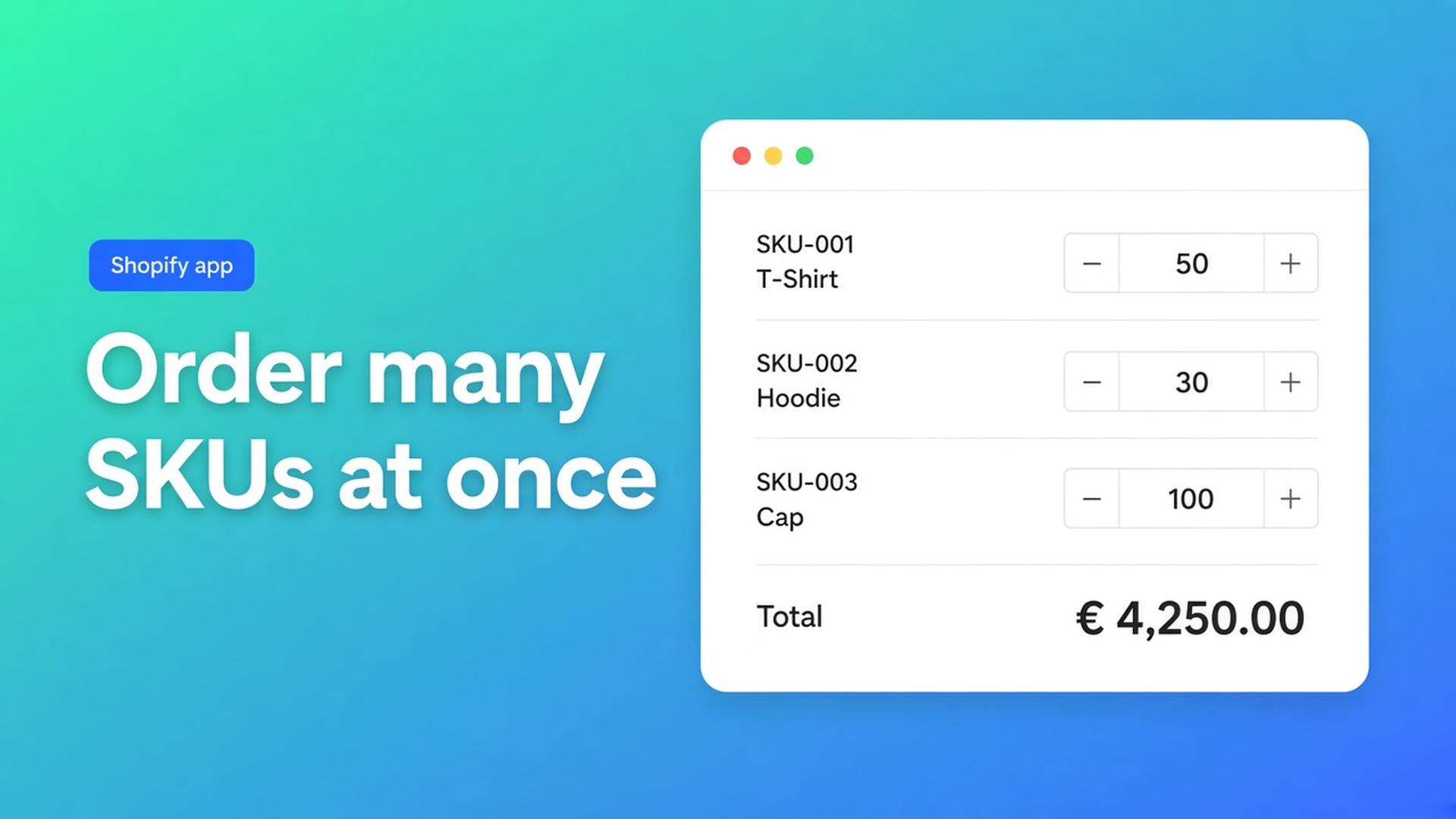
A reseller who needs twelve variants still walks twelve product pages. Add to cart, back, next SKU. That is retail behaviour on a wholesale order. A Shopify bulk order form puts those SKUs on one sheet: quantity per row, one add-to-cart.
This article covers why the ordinary product page is slow for B2B, what shops improvise (CSV, draft orders, a second store), and how OO - EU B2B & Wholesale lets you build a bulk form, put it on a dedicated page, and show it only to tagged customers.
We already covered Shopify wholesale login for B2B. That is who may see the form. This is the form itself.
The Shopify problem: one product per URL
The storefront is built around a product detail: title, price, variant picker, Add to cart. Fine for a consumer buying one lamp. A trade buyer restocking 40 SKUs has to navigate 40 times. The cart fills; the flow stays B2C.
Native B2B catalogues (Shopify Plus / Companies) are a different track. This app is an Online Origins flow on customer accounts, tags and bulk forms — not “replaces Shopify Plus B2B”. Do not claim that.
Without a bulk form you keep three pains:
Time — every extra SKU is another page.
Mistakes — a variant three clicks back never makes the order.
Price leak — if trade rates sit on the regular product page, retail sees them too.
What merchants try instead
1. Draft orders in admin
The buyer emails a list; you type a draft. Fine until volume. Not self-serve; quantities drift.
2. “Send your order in this spreadsheet”
Familiar in B2B, disconnected from checkout, inventory and tax. Someone still rekeys the sheet.
3. A second Shopify shop for wholesale only
Two catalogues, two app stacks, two shipping setups. New SKUs land in one shop and not the other.
None of those give you: one shop, one overview, quantities per SKU, prices only for people allowed to see the form.
How OO B2B sets the bulk form up
OO - EU B2B & Wholesale is Built for Shopify (5.0 from 33 reviews). Listing: $8.95/month or $101.88/year (5% off), 7-day trial, USD. Categories that matter here: Order form, bulk processing, product visibility, order minimums/limits, custom pricing, customer tagging, wholesale login.
What is a bulk order form: shoppers see multiple products or variants, enter quantities, and add everything to the cart in one action. Two placements:
Product pages — bulk order from a product detail (app block B2B Bulk Form).
A dedicated bulk order page — one page with the full overview (app block B2B Bulk Order Page).
You can create several forms. Each customer sees only one, based on visibility. The form must be enabled and still placed in the theme.
Create it in the app
From How to create a bulk order form:
Shopify admin → Apps → B2B & Wholesale → Bulk forms → Create bulk order form.
Products: all products, specific products, or collections. At least one product.
Pricing (optional): individual prices, one fixed price, or a percentage. With no rule, default Shopify prices apply.
Enable product page and/or bulk order page — otherwise the extension will not show there.
Visibility: all customers, logged-in only, specific customers, or customers with tags.
Turn the form On.
The docs then warn: enabled is not visible on the storefront. You still add the block to a template.
Dedicated page as the main path
Recommended setup for wholesale stores: for wholesale, the bulk order page should be the primary method. Faster, many products in one overview, less hopping. Create one page, add the Bulk Order Page extension, link it in navigation (for example “Wholesale order”).
Product pages are optional. Using only product pages for a large wholesale catalogue is a listed mistake. If you use both: keep pricing and visibility identical, and point buyers at the bulk page.
Build the page: theme editor → Pages → Create template → create a page → assign the template → add B2B Bulk Order Page → Save. Skip the template and the page stays empty.
Prices only inside the form
How B2B pricing works is blunt: prices apply only inside the bulk order form, only for customers who can access that form. They do not change Shopify product prices, do not affect the regular product page, and do not stack with other forms. One strategy per form.
Promising that “after login the product page shows net prices” is wrong. Send the buyer to the form.
Visibility: tags, not everyone
Recommended: Customers with specific tags (`Wholesale` or `Wholesale_T1`). “All customers” is how retail sees the trade list. One form per group, unique tag; do not reuse a tag on a second form. The customer must be logged in.
Example: 80 SKUs, two groups
Retail keeps the ordinary catalogue. T1 (10%) and T2 (20%) each get their own bulk form, tags `Wholesale_T1` / `Wholesale_T2`, the same wholesale collection as the source so new SKUs join automatically.
Main path: `/pages/wholesale-order` in the menu. Leave the product-page extension off, or on with the same rules — but the email to resellers points at the bulk page.
Test in a private window: a guest sees no form; T1 sees T1 prices in the form, not on `/products/lamp`; T2 sees T2. Place a test order with ten lines.
Order minimums/limits are on the listing; only mention thresholds you actually configure in the app — do not invent them.
What you need to start
Install OO - EU B2B & Wholesale ($8.95/month, 7-day trial).
Create a wholesale collection and one bulk form (or one per group).
Tag visibility; form On.
Theme: template + B2B Bulk Order Page, menu item. Optionally B2B Bulk Form on the product template.
Test as a tagged customer: overview, quantities, cart, price only inside the form.
Changing theme means placing the blocks again. Docs: form config stays in the app; the theme does not.
Wrap-up
A Shopify bulk order form is not a larger product page. It is one overview, quantities per SKU, cart in one action, prices behind visibility. Native Shopify stays one product per URL; draft orders and a second shop do not scale.
Put the form in OO - EU B2B & Wholesale, hang the bulk page in the menu, and let the next reseller fill twelve rows once — not twelve product pages.
This blog is presented to you by

Floris-jan de Vries
Co-owner / Back-end developer / Shopify Expert
As a full-stack developer, Floris-Jan ensures the technical logic behind the design. He also uses his extensive knowledge of Shopify every day to provide our clients with the best possible support.


The Shopify Select partner for ambitious e-commerce businesses that want to grow!

Services
Reviews
5/5
Mail: info@onlineorigins.nl
Tel: 073 234 0612
KVK: 89825624
BTW: NL865123639B01
Bruistensingel 500,5232 AH 's-Hertogenbosch Cookies
© 2026 Online Origins