
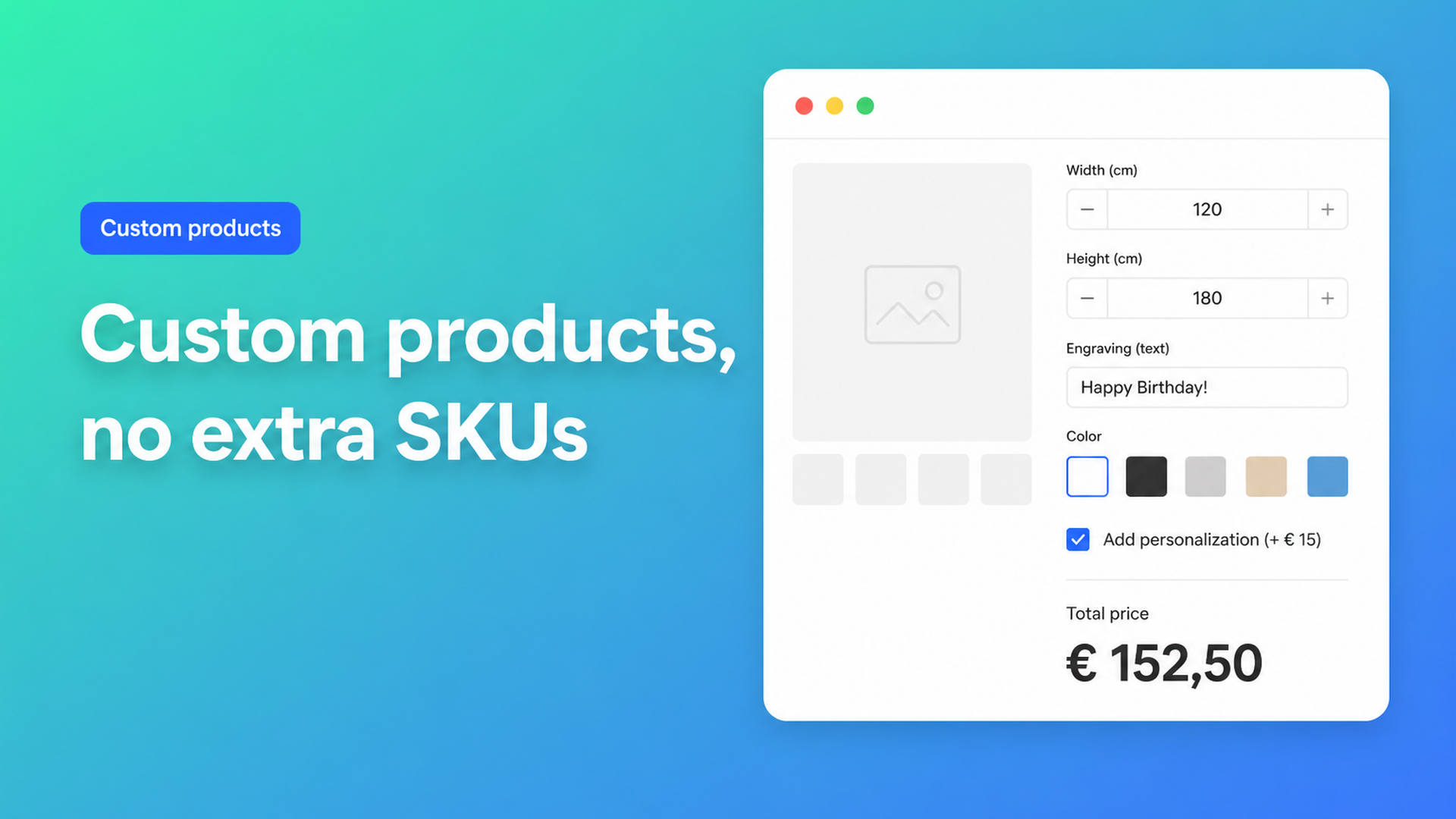
Sell custom products on Shopify without a SKU for every combination
Merchants who want to sell custom products on Shopify run into the platform’s product model fast. Variants are built for stocked combinations: S/M/L, red/blue, cotton/linen. Custom work is a configuration. A customer types a name, uploads a logo, enters 187 cm, ticks engraving — and expects the price to follow. That is not another option value. It is a function of inputs.
This article is for shops that make cushions, bags, furniture, print, or jewelry to order. It explains why more variants do not fix personalization, why a Liquid text field will not change checkout, and how Options Price Calculator puts sizes, add-ons, and live prices on one product page without a SKU per combination.
Shopify stocks SKUs. It does not configure jobs.
Shopify Help Adding variants is the current rulebook:
each product can have up to three options (Size, Color, Style — or any other trio);
each product can have up to 2048 variants.
The variant cap moved from 100 to 2048 for every merchant in October 2025 (Shopify changelog). That helps if you actually warehouse forty lengths × fifty colors. It does not help custom work. The three-option ceiling did not move. Continuous measurements, free text, a file upload, or a fourth choice (filling, hem, mounting) still sit outside native variants.
Community threads keep restating the gap. In Customized items and limit of 3 options & 100 variants a cushion maker lists six criteria: colour, custom yes/no, star embroidery, pompoms, size, filling. Price depends on almost every field. Even with 2048 variants you still have only three native options; six choices × dozens of colours is not a grid you want to maintain cell by cell. Older posts still say “100 variants” — that number is outdated. The three-option limit is not.
Personalization without a price change shows up the same way. In Can we add the option to personalize an item without an app? a merchant wants a tote with a name, a text colour, and a surcharge. Line item properties can store the string. They do not change the price unless you add an app or a Shopify Function.
We already covered the hard option cap in Shopify more than 3 product options. This piece is the full custom-product workflow: personalization, dimensions, and surcharges on the same page.
Workarounds that stall
1. A variant for every combination
Name colour × size × filling × finish becomes a matrix. Three discrete choices with a handful of values can work. Add a free-text field or a millimeter input and the catalog explodes. Inventory per cell is fiction: you cut or embroider after the order. Feeds, discounts, and stock reports turn into noise.
2. Split the catalog
One model becomes five product URLs (per size, or custom vs. standard) so each page gets three options again. The cushion merchant considered exactly that — and saw the cost: customers bounce between listings, related products get messy, and a low base price plus add-ons disappears behind five PDPs.
3. Line item properties in the theme
`<input name="properties[Name]">` or `properties[Width]` in Liquid is cheap. Shopify stores the string on the line item. Fulfillment can read it. Checkout still uses the variant price. A bag with a €12 engraving and the same bag without it cost the same until you enforce the surcharge somewhere else.
4. Manual quotes
WhatsApp, a contact form, a PDF. Fine for one-off B2B jobs. It kills self-serve checkout: no Shop Pay, no abandoned checkout, no Markets price the customer can see. Repeatable rules (area, setup fee, checkbox) should not wait on an inbox.
Keep inventory in variants. Put configuration in fields.
The split that scales:
Native variants for what you actually stock or buy as its own SKU (base colour, collection, a material with its own cost).
Product options + a formula for everything that only exists on the order: text, file, free size, surcharge, extra finish.
Options Price Calculator is built for that split. It is Built for Shopify (listing: 5.0 from 22 reviews) and adds unlimited fields on the product page: dropdowns, swatches, numbers, checkboxes, radios, custom text, file upload, dates. The customer configures; a formula updates the price live. You do not create a variant per choice.
Typical formulas from the docs:
``` product_price + gift_wrap ```
A “gift wrap” or “engraving” checkbox carries a numeric value. Checked, it adds; unchecked it is `0`.
``` product_price + 25 + (width * height) ```
A setup fee plus area — the pattern for print, window film, or a made-to-measure cushion cover. For a pure area tariff without extra choices, see Shopify price per square meter.
``` product_price + file_upload ```
A logo or artwork upload with a handling fee (numeric value on the file field).
Conditional logic is Premium: a floor if the sum drops below 100, or a higher rate when `width > 200`. Live preview (Product Personalizer) and a real-time price breakdown are Premium as well. AI-assisted field and formula generation starts on Starter. Do not blur that line: if the listing files it under Premium, say Premium.
Entered options travel with the order. You can include that data on the confirmation email so the workshop and support see the same configuration as checkout. Server-side price validation (an app-wide setting) means the calculated price is not only a browser display.
Example: a cushion that is actually configurable
Reuse the community cushion, without six native options.
Colour stays a Shopify variant if you warehouse 40 fabrics — that is a real SKU.
Size is not a three-cell dropdown. Use two number fields (width, height) or a “standard size” dropdown plus a made-to-measure path.
Custom yes/no, star embroidery, pompoms, and filling become checkboxes or dropdowns with numeric values.
One formula, for example:
``` product_price + (width * height * fabric_rate) + embroidery + filling ```
Inventory stays on the colour variant. The customer watches the total move. You see the extras on the order. No 1,920 variant rows, no five product pages, no quote email for a €4 pompom.
The same recipe covers a tote with a name + text colour (text field + swatch + surcharge), a tabletop (length × width × wood multiplier), or jewelry with engraving. If wood and metal are real SKUs, attach a different calculator per variant — that is in the linking docs.
What you need to go live
Install Options Price Calculator. Free plan: 20 uses, always free on a Shopify develop store. Starter ($9.99/month) unlocks unlimited options, the formula builder, metafields, and multilingual labels. Premium ($14.99/month) adds conditional logic, the font picker, live preview, and price breakdown.
Add the app block on your product template in the theme editor, ideally below the price and above Add to cart. See How to Add the Extension to the Product Page.
Keep real stock as variants. Create fields for personalization, sizes, and surcharges.
Build the formula, test with preview values, and round only at the last step.
Link the calculator to the right products or variants; large catalogs can be bulk-linked.
Themes differ. That is why theme bindings and the selector picker (price + add to cart) exist: you point the app at the price node and the button it should follow. Do not claim it works on every theme with zero setup.
Wrap-up
To sell custom products on Shopify you need a different data model than a T-shirt in three sizes. 2048 variants give you more SKU room, not a fourth option, not a free-text field, and not price = f(width, extras). Line item properties store text. They do not calculate.
Put configuration in fields and price in a formula. Install Options Price Calculator and let customers check out instead of waiting on a quote.

Custom webshops, websites, and applications combined with smart online marketing to help your business grow online!


Reviews
5/5
Mail: info@onlineorigins.nl
Tel: 073 234 0612
KVK: 89825624
BTW: NL865123639B01
Bruistensingel 500,5232 AH 's-Hertogenbosch Cookies
© 2026 Online Origins