
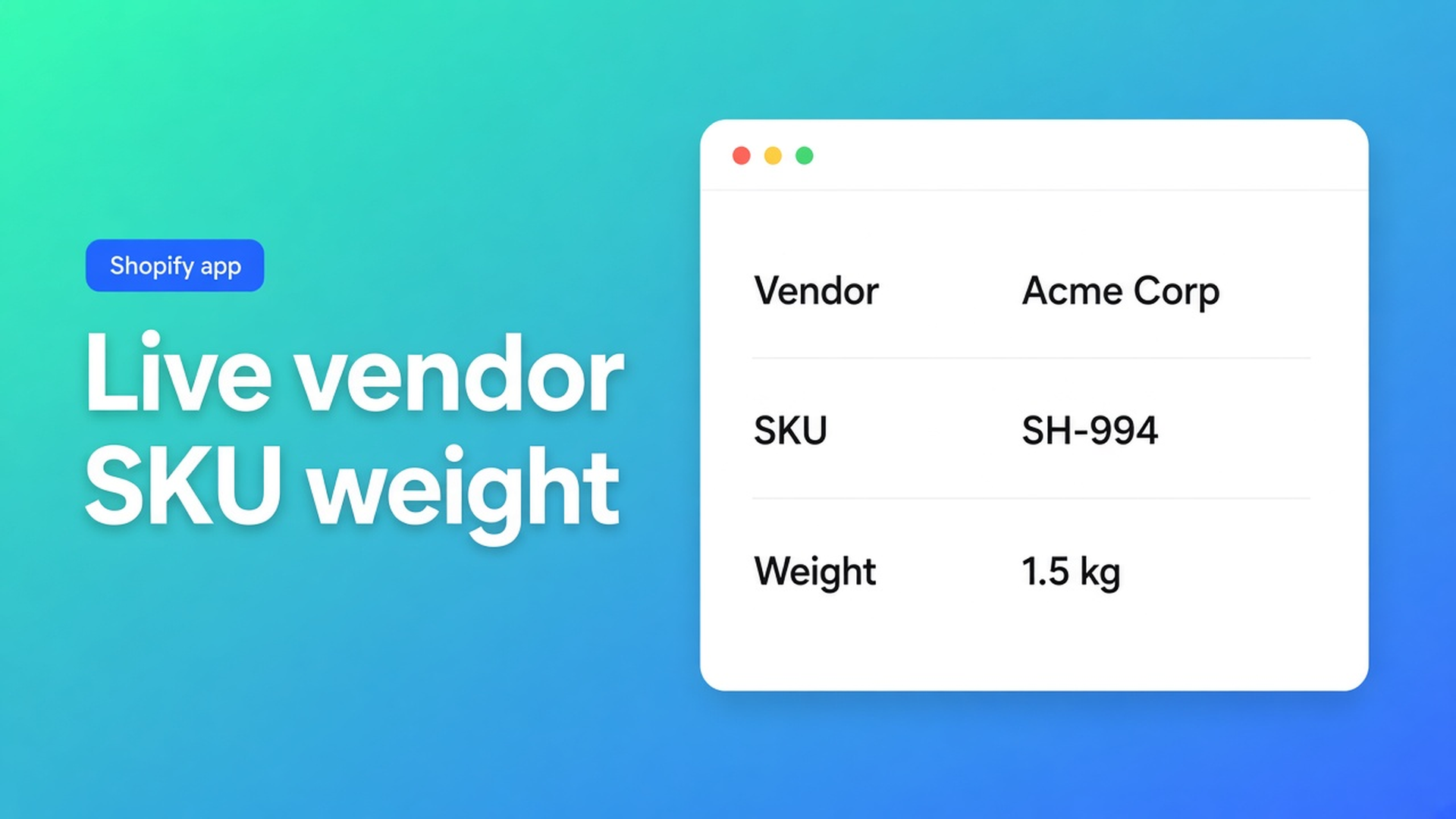
Shopify specs table: vendor, SKU and weight from the product record
Two office chairs in the compare tray. One SKU is live. The other still says `TBD`. Weight reads “light”. The vendor string does not match the product vendor. Shopify specs table vendor SKU and weight means those three rows bind to Shopify — they are not custom attributes you retype. Checked 9 November 2026 on the OO - Advanced Table Builder listing, docs Modules & product fields and Create and refine tables with AI, and Shopify Help Adding variants (SKU and weight live on the variant). If the module list changes, or the listing leaves Free, re-read those before you type SKUs into a specs cell.
Variant metafields in specs is about owner = product vs variant for custom data. This post is the standard fields: Vendor, SKU/Barcode, Weight.
Admin fields are not a comparison table
Vendor, SKU, barcode, and weight already exist in admin. Help Adding variants: price, inventory, and shipping are per variant — not a column next to Add to cart. A theme vendor line is one product, not Chair A / B / C. You can surface metafields on the storefront (Displaying metafields). Vendor/SKU/Weight are not metafields. Do not recreate them.
Type them into a table and the product will change while the cell will not.
How the cell goes stale
SKU in the description, weight in a “Details” row, vendor only in the collection filter. Compare becomes scrolling. An old spreadsheet import froze “6.4 kg” as text. An AI draft from a screenshot may park Weight or Price in a custom attribute. The create-with-AI article tells you to walk those rows after generate.
Use the Shopify module, not a lookalike attribute
Checked 9 November 2026: OO - Advanced Table Builder is Free, 5.0 from 1 review. Listing: *Connect product and variant metafields so values stay up to date.* Handle `tables-specs-comparisons`.
Modules & product fields product-information modules:
Product option (e.g. Color)
Product type / Product category
Vendor
Description
Price
SKU / Barcode
Weight
Rating
Collections
Same page: *If a row maps to live product data, use the matching Shopify module — not a custom attribute.* Specs and Comparison then follow the product.
Custom attributes stay for data Shopify does not already store: warranty copy, battery range, blend. Types: text, measurement, number, boolean, link — custom attribute types. A measurement attribute named “Weight” is the wrong drawer when the product already has Weight.
Specs / compare row | Shopify module (docs) | Custom attribute | Failure mode |
|---|---|---|---|
Brand | Vendor | Frozen “Herman Miller” | Vendor changes; table does not |
Part number | SKU / Barcode | Per-product text | Variant SKU updates; cell stays default |
Ship weight | Weight | “6.4 kg” measurement | Pack change in admin; shopper sees the old figure |
Seat height per size | Metafield reference, variant owner | — | Weight module will not invent this |
Sources: Modules docs (~2 months); listing 9 Nov 2026 Free; Help variants. If the module list moves, re-check Structure before an implementation says “SKU is always custom”.
After AI create, remap Weight / Price / Color to Shopify modules (table from a description). Specs chrome is a different step: product specs layout. Compare chrome: comparison table layout. Specs do not auto-inject next to Add to cart. Floating size charts are another table type: floating size chart.
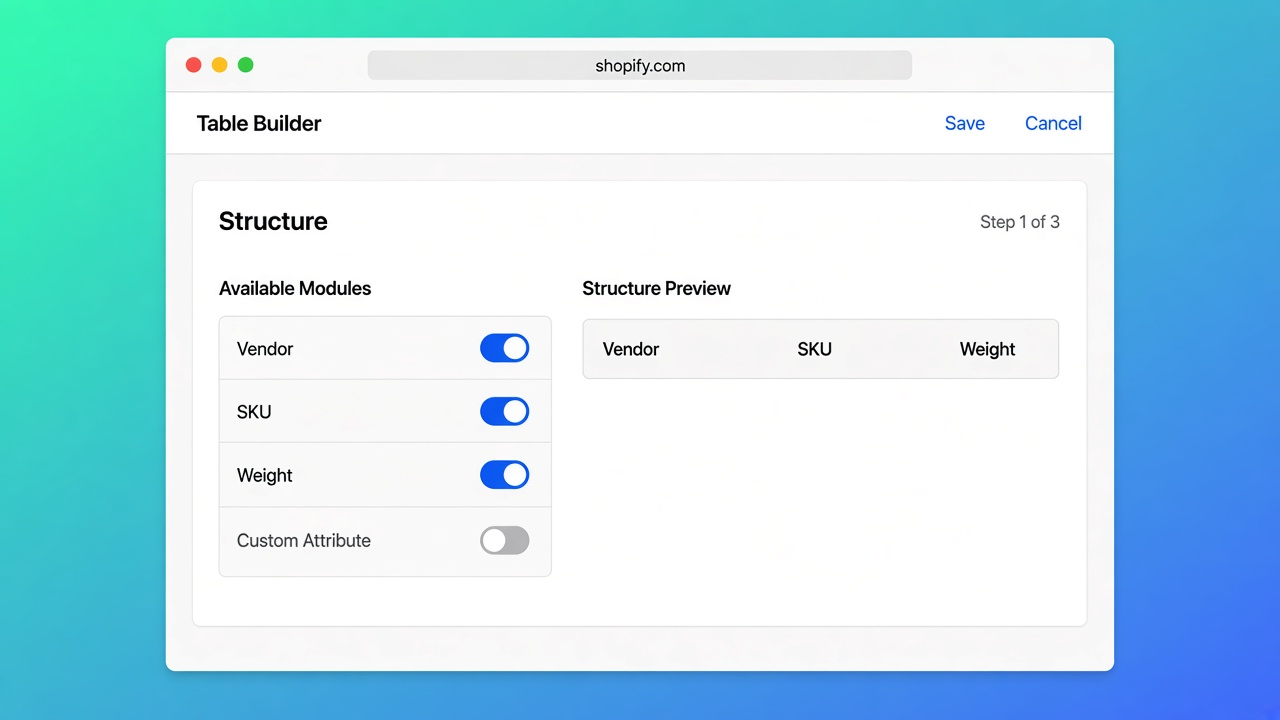
Three chairs, one comparison, live SKUs
A seating shop compares three SKUs. Vendor differs (house brand vs a named mill). Weight already sits in Shopify shipping. SKU changes every PO.
What I would drag on 9 Nov 2026: a “Logistics” group with Vendor, SKU/Barcode, Weight. No custom “Weight (kg)”. Variant change → SKU and weight follow, because those values live on the variant. Vendor is product-level; that is correct when the brand is per listing.
If you need “product only” weight and Shopify’s weight includes the carton, that is a metafield — do not bully the Weight module into lying. The module shows Shopify’s weight, not a marketing number.
After an AI draft: open Structure, inspect the Weight row. Custom attribute → replace. Same for SKU. Save. Product specs block on the product template; comparison block where shoppers pick. App-embed auto-placement covers size charts / compare inject, not specs rows.
Ship it
New specs or compare table. Structure: Vendor, SKU/Barcode, Weight modules. Custom attributes only for non-Shopify facts. Enable the table. Change one SKU or kilogram in admin, hard-refresh the storefront. Old cell still there → the row is not a module.
The app is Free on 9 Nov 2026. No Premium gate on these modules.
What I would not type again
I would not keep SKUs in a sidecar spreadsheet. Vendor, SKU, and weight already live in Shopify; the table should point at them. AI can draft; I still audit those three rows before publish. Shopify specs table vendor SKU and weight is not a collapsible full of frozen codes. Docs 9 Nov 2026: matching Shopify module, not a custom attribute. Listing: Free, values stay up to date. If the module list moves, this advice is done.
Install from the OO - Advanced Table Builder listing and replace every typed SKU in Structure with the SKU module before you open the compare tray.
This blog is presented to you by

Floris-jan de Vries
Co-owner / Back-end developer / Shopify Expert
As a full-stack developer, Floris-Jan ensures the technical logic behind the design. He also uses his extensive knowledge of Shopify every day to provide our clients with the best possible support.



The Shopify Select partner for ambitious e-commerce businesses that want to grow!

Services
Reviews
5/5
Mail: info@onlineorigins.nl
Tel: 073 234 0612
KVK: 89825624
BTW: NL865123639B01
Bruistensingel 500,5232 AH 's-Hertogenbosch Cookies
© 2026 Online Origins