
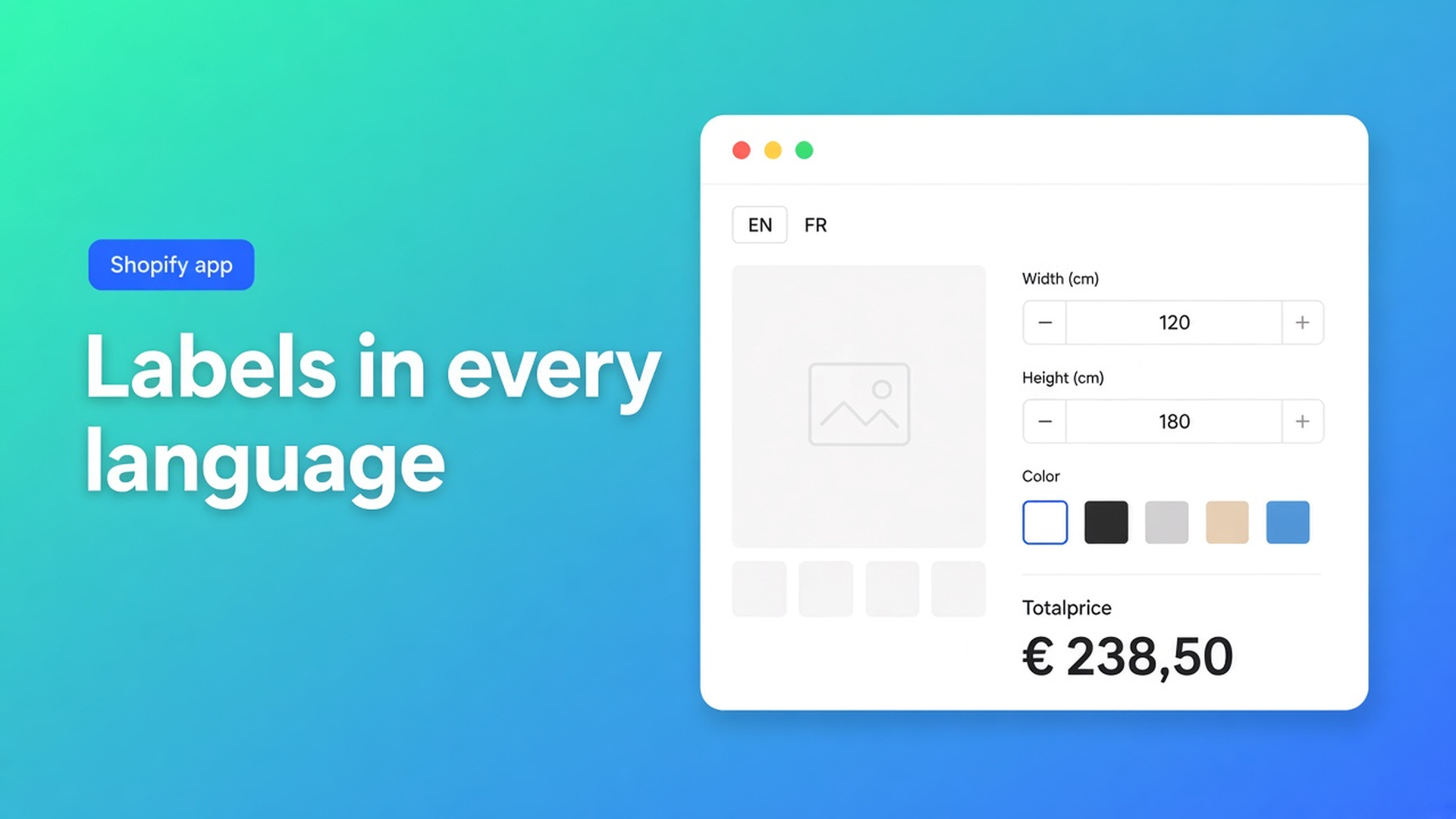
Translate Shopify calculator labels with AI
The US catalog is English. You opened a French market. Product titles already come from Shopify Languages. The product page still says “Width (cm)”, a calculator button in English, and “This field is required” under an empty box. Shoppers in Lyon read a French title over an English form. The job is to translate Shopify calculator labels with AI — the calculator copy, not the product record.
Shopify manages languages per market. Theme and catalog strings do not pull app field labels along. Options Price Calculator stores labels, placeholders, option names and validation copy per calculator and per published locale. Above the language tabs: fill the open tab, or fill every published language at once, English included. AI writes into the editor. Saving is still yours.
Related reading: multilingual product options on Shopify. That article is storefront language. This one is the Translations tab: source copy, tokens such as `{min}`, and why you still read the French error lines before you hit save.
Markets will not localise a calculator field
Adding variants is still three options and 2048 variants. Colour, fabric, lining fill that grid. “Width in cm” is not a variant value. It is a calculator label. Translate & Adapt never sees it.
The app detects the storefront language. A missing string falls back to English. A French market that still shows “Width” is not a Markets bug. The FR tab is empty.
Native Shopify keeps inventory on real SKUs and translates the product title. It does not keep “Minimum price {min}” in your voice, per calculator.
Support tickets then sound like language tickets: “What is Width?”, “Why required?”, “Can the button say Télécharger?” The formula is fine. The labels are not.
Workarounds that duplicate the form
One product per language. Two templates, two calculators, two formulas to drift. Docs treat translations as belonging to a single calculator. A second product does not localise labels. It doubles the tariff you have to keep in sync.
Retyping every string by hand. Fine until a swatch list grows to fourteen fabrics. New fields only appear in Translations once they exist. Delete a field and its rows go with it. A spreadsheet cannot follow that.
A translated button over English errors. “Add to cart” becomes “Ajouter”. A too-small width still prints “Value must be at least {min}”. Required, min/max, file type, min and max price — each of those has its own row per language.
None of that is: source copy in English (or French), AI fills the other tabs, tokens stay, you read them, you save.
Where the AI controls sit
Listing (3 Nov 2026): Built for Shopify, 5.0 from 29 reviews. Free — 20 uses. Starter $9.99/mo: unlimited options, AI, formula builder, metafields, styling, multilingual. Premium $19.99/mo: conditional logic, font picker, live preview, price breakdown, lookup tables. $39.99/mo: show/hide fields, draft-order checkout. USD.
From AI translations:
Open the calculator in the builder.
General settings → Translations.
Above the tabs:
Translate [current language] with AI fills the tab you are looking at.
Translate all languages with AI fills every published language, including English.
Tabs follow Shopify Markets / Languages. You do not invent a locale inside the app. Publish the language in Shopify; the tab appears.
Source text: filled source-language copy when it exists (often English). Otherwise the editor placeholders. `{min}`, `{max}`, `{count}` and `{size}` stay as tokens. The storefront later swaps in the number. Translating `{min}` away into a bare adjective breaks the message.
AI does not save. Open each tab, then save. A French string that landed on the EN tab only shows up if you look.
Plans. Same AI budget as “create a calculator” and the formula assistant. Free: one shared trial. Starter and up: unlimited, with rate limits. Listing multilingual support is a Starter line. The Translations tab exists either way; AI is the filler.
Rows worth reviewing — and keys you leave alone
Per field, from the Translations article:
Field label
Placeholder
Option labels on dropdowns, radios, swatches, font picker, colour picker
Rich Text HTML
Divider heading
Checkbox checked / unchecked copy (those strings land on the line item)
Font picker labels and colour headings
System copy: final price label when that block is on, upload loader, per upload field the button, dropzone, file count and size lines, live-preview placeholder, computed-property labels that go out as order attributes.
Validation: required, numeric min/max, too many files, too large, wrong type, price below or above the limit.
Leave field keys untouched. Keys stay lowercase, digits, underscores. The formula reads `width`, not the label “Largeur”. Rename a key to look French and the sum breaks.
Font picker and live preview are Premium. Their labels still sit in the same tab. You can fill the tab without Premium. You need Premium to use those fields.
Example: cut-to-size panels, EN + FR, one calculator
“Panel & Cut” sells aluminium sheet. Native variant: alloy (real SKU). Width and height are not SKUs. Number fields `width` and `height`, a finish swatch, a checkbox for deburring. The formula stays `product_price + (width * height * rate)`. You do not translate the formula.
Walkthrough:
Install Options Price Calculator. Theme app extension on the product template.
One calculator. English labels: `Width (cm)`, `Height (cm)`, `Finish`, `Deburr edges`.
Publish French for the FR market in Shopify.
Calculator → General settings → Translations. Open FR, or run Translate all languages with AI.
Keep `{min}` in “Minimum {min} cm”. Read finish names so “Brushed” does not become a nonsense calque.
Save. Private window, storefront French: French labels, same price. An empty FR tab would have shown English.
One calculator. Two languages. No second product. Docs tip: each calculator keeps its own wording. A sample-request form can say “Request a sample” while the sheet calculator says “Add to cart”.
Catalog translation is a different job. The product title “Aluminium panel 3 mm” lives in Shopify. “Width (cm)” lives in this app. You need both. Only the second is this Translations tab.
Empty a required field in French: the required line should be French. Enter a width under the minimum: `{min}` must become a number, not a leftover token, and not a placeholder that AI deleted.
Get it live
Use Free for twenty calculated orders, or a development store. Use Starter when you want unlimited calculations and more than one AI run. Publish the extra language in Shopify, open Translations, let AI fill, read the error lines out loud, save.
Place a test order and check the French checkbox copy on the confirmation — checked/unchecked strings travel with the line. Price follows the formula. Language follows the tab.
Wrap-up
To translate Shopify calculator labels with AI you do not clone the product. You open General settings → Translations, keep tokens, let AI fill the current tab or every published language, then save. Missing strings still fall back to English.
Fill those tabs in Options Price Calculator before a French shopper reads “Width (cm)” to support.

The Shopify Select partner for ambitious e-commerce businesses that want to grow!


Services
Reviews
5/5
Mail: info@onlineorigins.nl
Tel: 073 234 0612
KVK: 89825624
BTW: NL865123639B01
Bruistensingel 500,5232 AH 's-Hertogenbosch Cookies
© 2026 Online Origins