
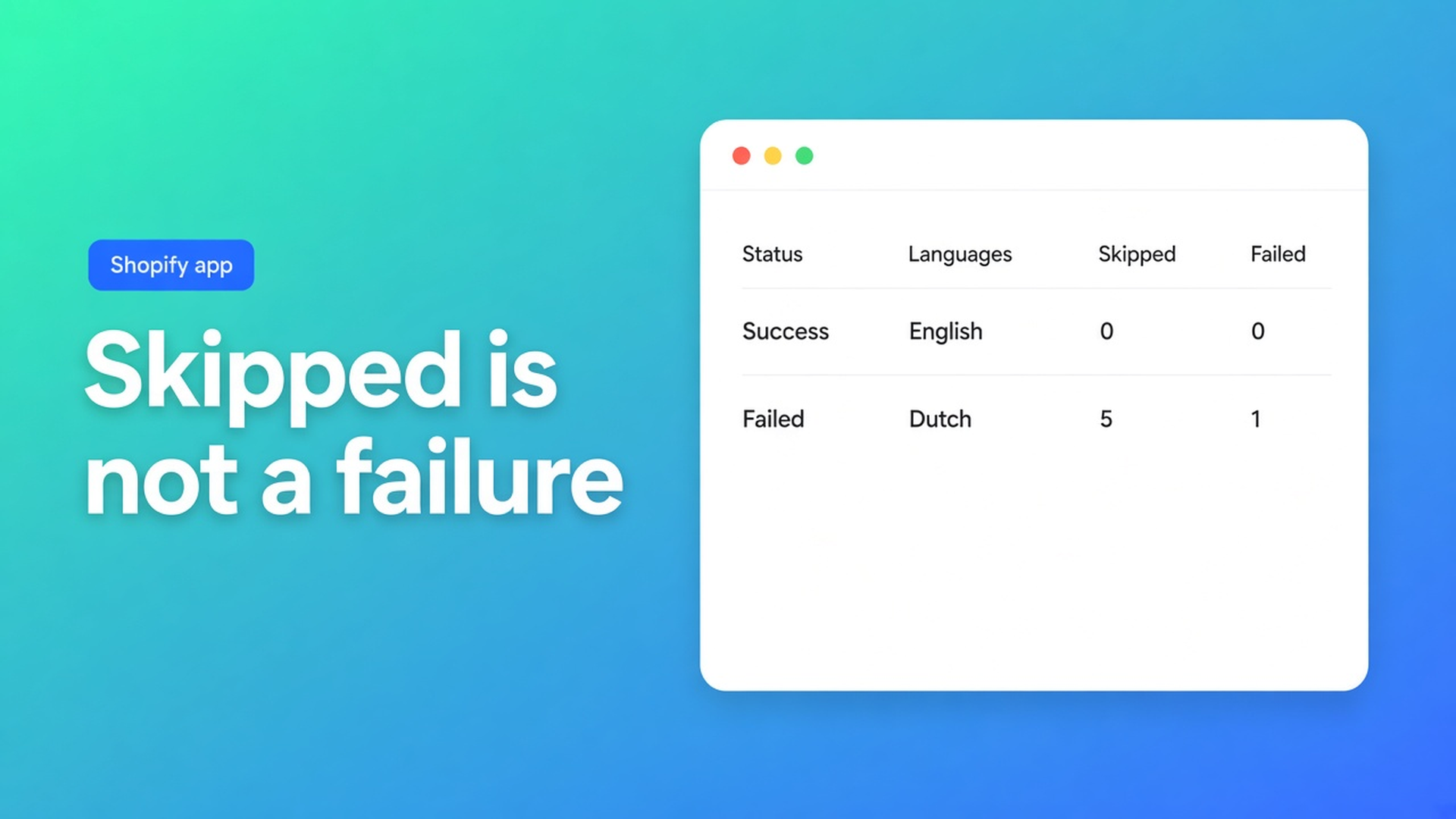
Shopify translation job history: status, languages, skips
German is “on.” Twenty new products still show Dutch. The editor marks them Missing. Last night’s job sits in a list nobody opens. Without that list you guess: the model died, the schedule idled, or everything translated and the storefront is caching.
Shopify translation job history is the Jobs view in OO - Ultimate AI Translations. What is OO Translations?: dashboard setup, the editor, or background jobs on a schedule. Same docs line we have used before: check Jobs for translated, skipped, and failed. Status, languages, skip/fail detail — that is the history. Not a second product.
Listing: Free $0 (own AI, unlimited languages/markets/translations, language switcher; no backups, no scheduled jobs, no App AI). Professional $10/month + usage: monthly schedule, glossary, 1+1 backup, App AI ~$0.01/unit. Plus $20: daily, 5+5 backups. 0 reviews, launched 14 October 2026. Do not invent ratings.
16 October: scheduling jobs. 20 October: Missing vs Outdated. Yesterday: ChatGPT as your own model. This post is after the run: the list.
A job is not a chat log
Shopify Markets publishes a locale. It does not log what AI did at 02:00. Translate & Adapt shows fields, not a skipped-handle report.
Here you start a job (Free: by hand; Professional/Plus: also on a schedule) for products, collections, pages, theme, metaobjects — including draft themes on the listing. Jobs target Missing or Outdated, unlocked, customer-facing fields only.
Jobs skip: handles, URLs, IDs, SKUs, barcodes, size codes (S/M/L), JSON, empty source, locked fields. That is not an outage. `/products/linen-curtain` must not become a German handle. A locked headline stays marketing’s.
Failed is different: an AI error (key, model name, credits at the provider), or a field Shopify rejects. Fix it where you pay for the model, or in the field — not by letting the same schedule burn another night.
What people misread in history
Skipped = failed. No. SKUs in skipped belong there. Failed is the red bucket.
Only look at the storefront. Fallback is the source language. Missing on the PDP can mean the job ran theme strings, not products. History shows that run’s content type and languages.
Ignore history and unlock everything. Locks exist so scheduled jobs never overwrite copy you saved. Unlock is explicit. History may list skipped-because-locked. That is not a prompt to open every field.
Daily on Professional. Daily is Plus. Monthly is the $10 ceiling. Free has no schedule; manual jobs still get a Jobs row. Quick start: one language, small type, before you schedule daily.
App AI on Free. Not included. Your own OpenAI-compatible model is allowed at $0. App AI pass-through ~$0.01/unit on Professional/Plus.
What to read in Jobs
Translated / skipped / failed, plus progress. Open a run’s details:
Status — finished, running, or the job failed as a whole
Languages — which target this run used (unpublished locales can still go in a job; the switcher only after you publish)
Skipped — technical values and locks. Healthy when you see handles
Failed — start with Connect AI: base URL, key, model. Credits at the provider. Then the field
Timezone and content type belong to the job, not to one product row. Product states in Settings (active only, or also drafts/archived/unlisted) decide which products were in the run. If drafts are off, draft titles are not failed — they were never in the job.
Glossary and brand voice ride along on plans that include glossary (listing: Professional). History will not show a “glossary hit”; it shows whether the run translated. Backup before a large first run: Professional/Plus, not Free.
The switcher (Free) is storefront, not Jobs. Missing embed or theme block → no switcher, green history. That is the theme, not a translation miss.
Example: nightly DE products, morning the list
Shop “Wool & Form”. NL source, DE live. Plus, daily, products, Outdated only. Marketing locked twelve hero titles.
Install OO - Ultimate AI Translations. Plus for daily. Professional for monthly. Free: you press Run; history still exists.
Connect AI or App AI on a paid plan. Tiny test job. Jobs: translated/skipped/failed.
Daily: DE, products, Outdated. Theme and metaobjects not the same night.
Morning: open Jobs. Translated = renamed titles. Skipped = SKUs, handles, locked heroes. Failed = three AI errors → model name at the provider.
Those three in the editor, small job again. Do not unlock the twelve.
Quick start: one language, small type, check Jobs, then the clock. Manage languages: unpublished locales can sit in the job; history shows that language even before the storefront does.
Get started
Open the listing. Free to see manual jobs; a schedule needs Professional or Plus.
Run a small Missing or Outdated job. Open Jobs.
Leave skipped handles. Failed: key, model, credits.
Locks on human copy. History is not a reason to unlock.
Then daily (Plus) or monthly (Professional). Outdated as the default.
Do not claim schedule, App AI, or backups on Free. Do not claim jobs translate handles. Do not pitch another OO app.
Wrap-up
Shopify translation job history is Jobs: status, languages, skipped, failed. Green on skipped SKUs is healthy. Red on AI is the provider. The storefront lies if you never open the list.
Run it in OO - Ultimate AI Translations. Open Jobs in the morning. Read skipped before you turn the schedule up.

The Shopify Select partner for ambitious e-commerce businesses that want to grow!


Services
Reviews
5/5
Mail: info@onlineorigins.nl
Tel: 073 234 0612
KVK: 89825624
BTW: NL865123639B01
Bruistensingel 500,5232 AH 's-Hertogenbosch Cookies
© 2026 Online Origins