
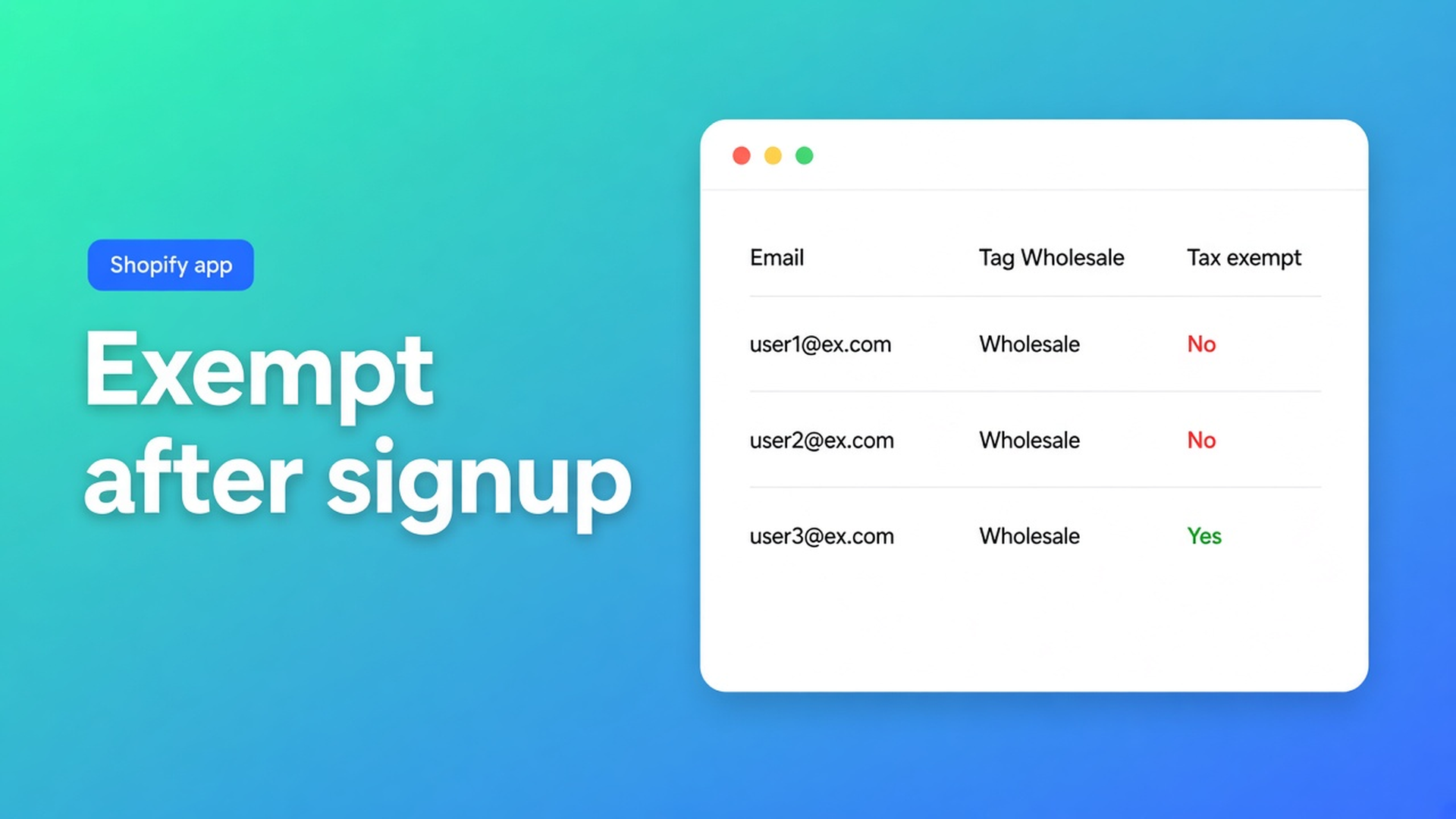
Shopify tax exempt after wholesale signup: set the new accounts in bulk
Tuesday you approve twelve wholesale applications. The `Wholesale` tag is on the profile. Wednesday the first reseller checks out and Shopify still collects tax. The tag groups people. Exemption lives in a different field: tax exempt on the customer record.
Shopify tax exempt after wholesale signup is that second step, in bulk, before the new batch hits checkout. Native path: Customers → open → Manage tax settings → Don’t collect tax → Save. Twelve times. OO - Bulk Customer Data Editor puts the field in a column: filter, bulk apply, Save.
We already covered the standing group in mark wholesale customers tax exempt. Yesterday was empty CSV cells that do not clear on updates. This post is the run *after* signup: who is new, who is missing the flag, how you set it without rewriting everyone who was already exempt.
Not tax advice. Whether someone *may* be exempt is on you and your accountant. This is the admin field. No other Online Origins app here — no wholesale storefront, no VIES.
Signup stamps a tag. Checkout reads tax exempt.
Shopify Help Tax overrides and exemptions: tax-exempt customers pay no tax at checkout if they use the same email as the customer account. Native:
Customers → open a customer.
Manage tax settings.
Don’t collect tax.
Save.
A registration form, a Flow, or staff adding `Wholesale` does grouping. Step 3 stays off until someone sets the field. Customer CSV is a different contract; do not claim Shopify’s default export makes the same tax-exempt column equally easy to bulk-edit.
Same Help page, two caveats:
Customer exemptions override product-level tax overrides.
With tax-included pricing, the listed price stays; exemption is not an automatic discount off incl. prices.
Shopify B2B (Companies / locations) is a *different* path: exemption on the company location. This editor edits customer profiles. Do not claim location tax.
What shops do until the first reseller pays tax
“The tag is enough — Shopify knows wholesale.” Shopify knows a label. Checkout knows Don’t collect tax. Until that flag is on, they are a tagged retail customer.
Open every new application. Fine until a trade-show week: eighty accounts on Monday. By Thursday a handful never got the click. Those emails are about tax on the invoice.
A CSV of only the new rows, tax-exempt column left blank. Yesterday’s rule: empty cells on an update do not clear existing values. A blank tax-exempt cell on an existing account therefore changes nothing — even if you thought “we will set it later”. To set the flag, the cell or the grid has to hold the value. Brand-new customers with a blank start empty.
None of that is: filter on tag + tax exempt off, select-all matching, bulk apply, Save.
Filter the batch, write one value, then Save
OO - Bulk Customer Data Editor is Free. Still 0 reviews. Listing USP: bulk-edit Customer Locale and tax-exemption status — fields Shopify’s standard editor does not make easy in bulk. Works with Excel and Google Sheets via CSV. UI in English.
Open it from Customers → More actions → Edit in bulk, or from the app dashboard.
Edit customers in the spreadsheet: tax exempt sits with the general fields, next to locale, tags, note. Only changed fields go to Shopify. A failed save shows that customer’s Shopify error; the rest stay staged until you fix or Discard.
Apply a value to many customers:
Filter or segment: tag `Wholesale`, tax exempt = no. Optionally created date since the last run, so you are not rewriting history.
Select all matching — up to 50,000. Progress while the set is collected. They do not all need to be on screen.
Bulk bar: Field = tax exempt. Value = yes (dropdown). Apply to selected.
Review staged cells. Shopify save bar → Save. Permanent after Save.
You can turn Locale on in the same view if import left language empty — the other listing USP — but do not mix that job with tax exempt when the filters differ. Two views, two names. Read-only columns (total spent, order count, created date) can stay for sorting.
A Shopify customer segment “Wholesale AND tax_exempt = false” grows on its own. In the editor: pick the segment, then the same bulk apply. Segments do not flip the flag by themselves.
Example: twelve approvals on Tuesday
Monday was the show. Tuesday twelve new accounts, tag `Wholesale`, locale sometimes empty, tax exempt off. Wednesday the first order.
View `Signup tax exempt`: columns tags, tax exempt, locale, email. Filter tag contains `Wholesale`, tax exempt no. Twelve rows — or more if older accounts never got the flag. That is the same job, larger. Select all matching. Bulk apply tax exempt yes. Save. Spot-check one profile in native Customers: Don’t collect tax is on.
Same batch, empty locale: that is the other view, not “add the column and hope the filter still matches”. A later empty CSV is not a wipe on updates; the flag you just set stays if that column is blank. Fine, as long as you expect it.
Keep the tab open on large saves. A failed row is a Shopify error on *that* customer; retry the rest.
Do this after every signup round
Install OO - Bulk Customer Data Editor (free).
After approvals: Customers → Edit in bulk.
Filter tag + tax exempt off. Select all matching (max 50,000).
Bulk apply tax exempt. Review. Save.
Test checkout with the same email as the account. No tax — unless you show incl. prices, in which case the listed amount stays.
Repeat weekly, or keep a segment “Wholesale, not tax exempt” and open that.
Close
Shopify tax exempt after wholesale signup is not a side effect of the tag. Native Shopify is one profile at a time. This editor filters the new batch, sets Don’t collect tax in bulk, up to 50,000 matches, only after Save. Locale is a separate USP; keep the filters apart. No VIES, no company location, no tax ruling.
Set the flag in OO - Bulk Customer Data Editor before the first reseller checkout adds tax.

The Shopify Select partner for ambitious e-commerce businesses that want to grow!


Services
Reviews
5/5
Mail: info@onlineorigins.nl
Tel: 073 234 0612
KVK: 89825624
BTW: NL865123639B01
Bruistensingel 500,5232 AH 's-Hertogenbosch Cookies
© 2026 Online Origins