
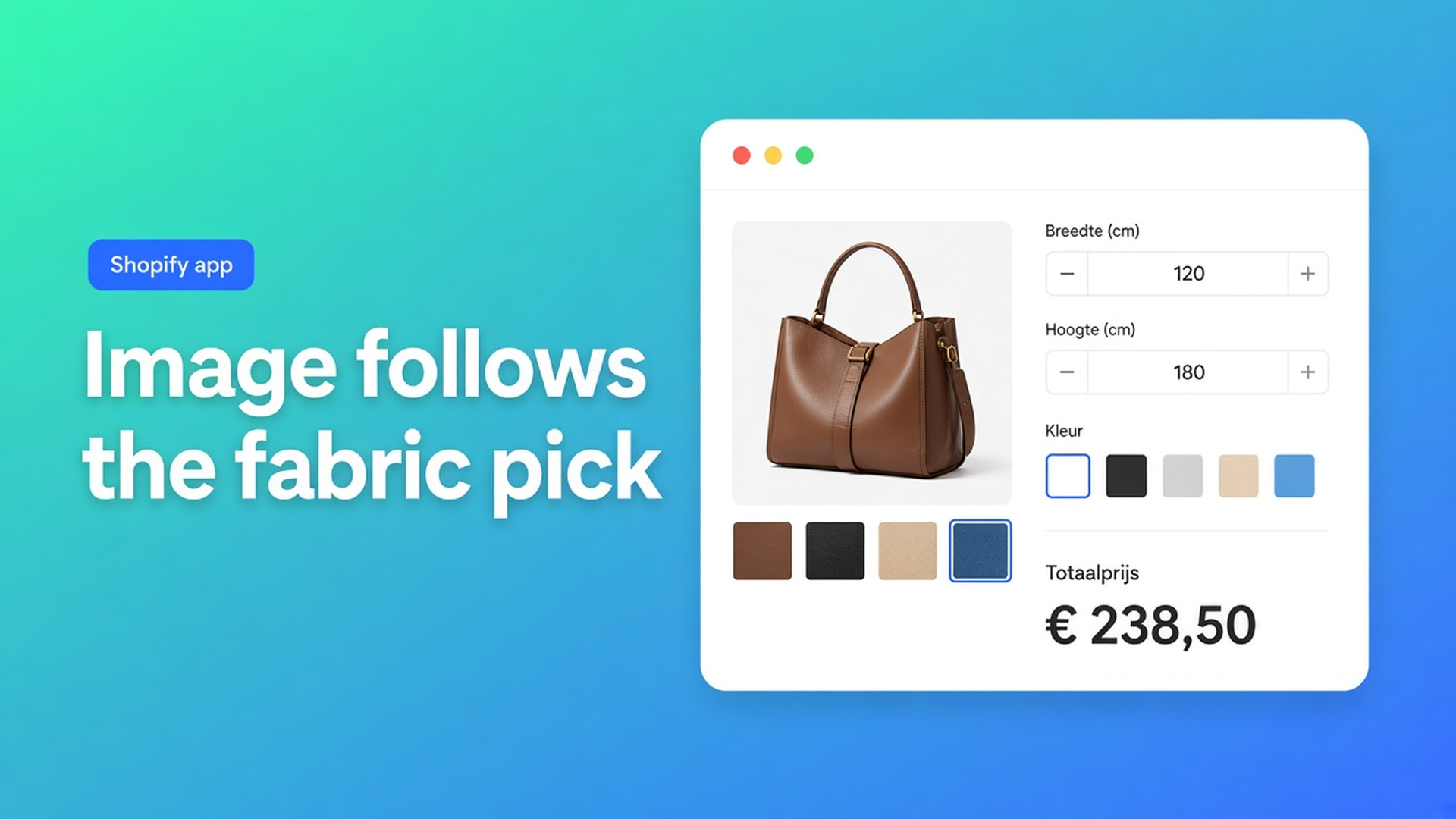
Swap the Shopify product image when a shopper picks an option
They tap linen. The price updates. The hero still shows cotton. The cart thumbnail does too. Ops sees the fabric on the line item; the shopper never did. That is not a slow theme. Native Shopify attaches media to variants, not to a calculator field.
Shopify swap product image by option is the mapping: this field value, that photo, on the product page. Optionally the cart line image too, if the app embed is on. No SKU per finish.
Shopify Help Adding variants still caps you at 3 options and 2048 variants. Not 100. Real inventory belongs there. A lifestyle shot for “metallic finish” does not.
Yesterday we covered the color picker as a field. This post is the picture next to it. The Options Price Calculator listing mentions swatches and variant images. The mapping itself is in Option images — Premium, and not live preview.
Variants get media. Calculator fields do not.
A Shopify variant can own a media slot. Color Red shows the red sweater because Red is an option value on the product. Three options. Done.
A calculator field is not a fourth Shopify option. Fabric, finish, engraving copy: those are inputs. The formula reads them. The theme gallery does not, until you map a file to a value.
Line item properties (`properties[Fabric]`) store the string. They do not swap the photo. A Liquid `if linen then other URL` dies on the next theme update.
Keep inventory SKUs as variants. Do not invent twenty finish SKUs just to make the gallery move.
Workarounds that leak into support
Every fabric as a variant value. Linen, cotton, velvet — that burns one of three option slots. Millimetre width still cannot be a variant. Photos sit on the fabrics; the calculator dropdown is a second source of truth.
Image on the swatch, not in the gallery. Swatch lets you put JPEG/PNG/WebP/GIF on the chip. The hero stays the first product image. Velvet selected, linen at 1200px.
Live preview for everything. Product Personalizer is Premium and a different feature: a layer on top of the photo (text, upload). Option images replace the existing image. No overlay. Docs are explicit: separate from live preview.
None of that gives you: calculator value → main image (and cart thumb with embed on), without extra variants.
Premium: map a value to a file
Options Price Calculator is Built for Shopify (5.0, 26 reviews). Unlimited options and formulas, no extra variants. Live listing, billed in USD:
Free — 20 uses; always free on a Shopify Develop plan
$9.99/month — unlimited options, AI, formula builder, metafields, styling, multilingual
$19.99/month (Premium) — + conditional logic, Font Picker, live preview, price breakdown, lookup tables and file uploads
$39.99/month — + conditional fields, draft-order checkout, admin calculator, setup service
Option images are Premium. Do not promise them on Free or $9.99.
Option images (Premium): besides the price, the calculator can swap the main product image — and the cart line image when the app embed is active — from:
a single-option mapping (one field value → one image)
a combination (two or more field values → one image)
Linen → photo A. Linen + metallic → photo B. Cotton stays C, or gets its own combo.
Where it lives
Open the calculator in the Calculator builder.
Open the Product preview step.
Open Option images.
Enable the feature and add rules.
Upload or pick images, map them to field values.
Save and test on a product page.
Keys beat labels
Docs: prefer clear option keys (dropdown / radio / swatch values). Rename “Linen” to “Linen (washed)” later; the mapping holds if the key did not change.
Start with single-option rules. Add combinations only when one photo truly depends on two choices. Keep file sizes reasonable for the storefront.
Non-standard galleries
Storefront Theme Bindings: product image selectors point at the media area. First match wins. Pick product image on storefront can fill the field. You need this when the gallery is custom, or when you use the Customizer.
Cart thumbs need the embed on. Otherwise the PDP swaps and the cart still shows the default product image. That is not a bad mapping; that is the embed.
Do not mix this up with `__ooCustomImageUrl` from the Customizer. Option images do not render a personalised file. They swap what you uploaded.
Example: curtains in stock, finish as a photo
Shop “Window Line”. Two fabrics on the shelf: linen and cotton. Those stay Material as native variants. Finish (matte / metallic) is not inventory. Metallic should show a different room shot.
Install Options Price Calculator. Premium ($19.99/month) for option images. $9.99 builds the fields; it does not swap the hero.
Swatch or dropdown `finish`, key `finish`, values `matte` and `metallic`. Fabric stays the Shopify variant.
Product preview → Option images. Two rules: `matte` → matte photo, `metallic` → metallic photo. No combo yet.
Theme app block on the product template. Bind price, add to cart, and product image if the gallery is not default.
Embed on. Test metallic on the hero, add to cart, open the cart. Repeat for linen + matte.
Need a third shot for metallic-on-linen? Then a combination rule: variant stays linen (SKU), fields `finish=metallic` → photo D. Cotton + metallic can be E, or the same D if it looks identical.
Linking Products & Variants: one calculator on both fabric variants is enough when only `product_price` differs.
Get started
Open the listing. Free: 20 uses. $9.99 for the fields. $19.99 if the photo should follow the option.
App block on the product template — How to Add the Extension to the Product Page.
Product preview → Option images. Align keys with dropdown/radio/swatch. One field first.
Theme bindings: product image selector if the gallery is custom. Embed on for the cart thumb.
Test on the live product page, not only in the builder. Empty field, switch variant, switch finish, check cart and the order line.
Theme bindings exist because themes differ. There is no “works everywhere with zero setup.” Server-side price validation is about money, not JPEGs.
Wrap-up
Shopify swap product image by option is a Premium mapping, not a fourth Color option. One field or a combination. Hero on the PDP; cart thumb when the embed is on. Separate from live preview. Shopify still stops at three options and 2048 variants. Twenty finish SKUs will not beat that.
Put the mapping in Options Price Calculator. The shopper picks the fabric. The image follows. Inventory stays on the rolls you actually stock.

The Shopify Select partner for ambitious e-commerce businesses that want to grow!


Services
Reviews
5/5
Mail: info@onlineorigins.nl
Tel: 073 234 0612
KVK: 89825624
BTW: NL865123639B01
Bruistensingel 500,5232 AH 's-Hertogenbosch Cookies
© 2026 Online Origins