
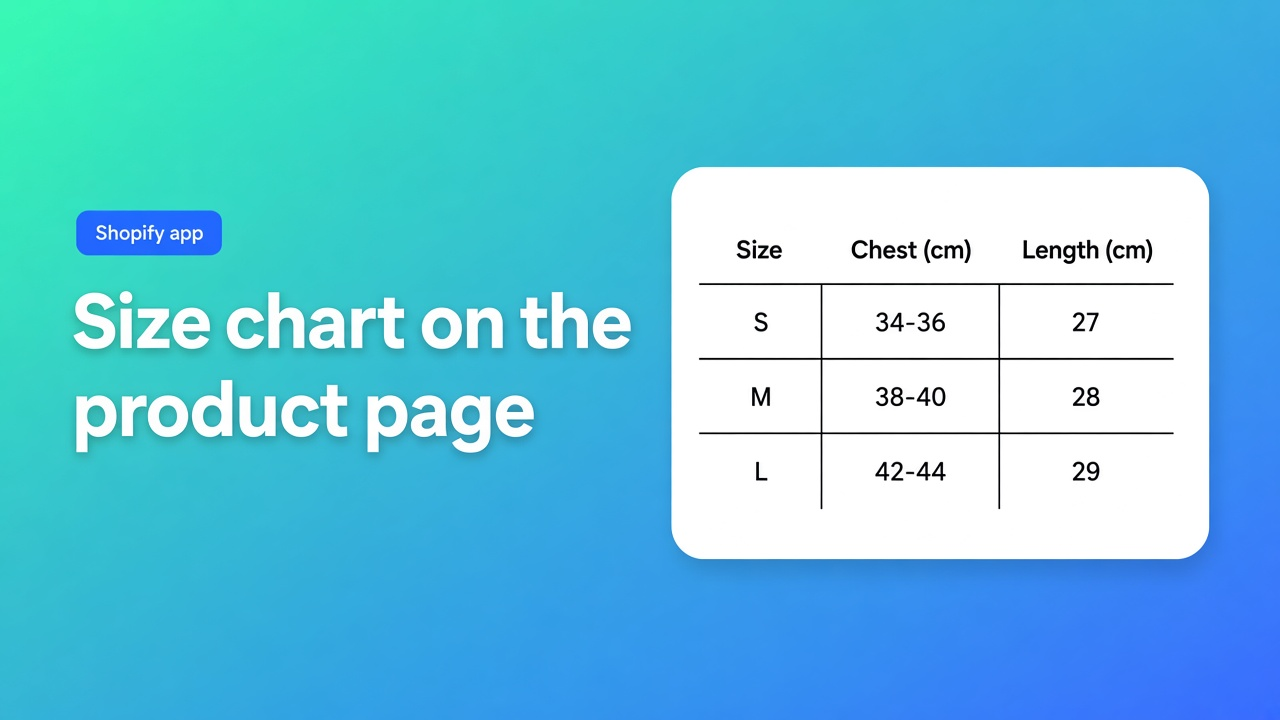
When a Shopify size chart needs an app
Returns that say “ordered the wrong size” are a content problem as much as a fit problem. The useful question is not which size-chart app is popular. It is whether a single page is enough, or whether each product needs its own chart, in the language of the market, next to the buy button.
OO ‑ Advanced Table Builder is the app this note evaluates. Older docs still say Tables, Specs & Comparisons. Same product, same listing URL. Facts below are from 31 October 2026.
The job, stated tightly
A furniture brand and a shoe brand share the shape of the job even when the columns differ:
the chart sits on the product page, as a popup or inline, not only in a blog post
product A does not inherit product B’s measurements
a supplier sheet with two tables (for example a women’s block and a men’s block) does not become one mashed grid
strings the shopper reads can be translated per locale
values that already live on the product (a metafield, price, weight) are not retyped into HTML
A JPG in the description is fine for a one-off. It stops being fine when you maintain dozens of charts, want the chart above Add to cart without editing theme code, or also show specs that must change when the product data changes.
Requirements that knock a tool out
| Requirement | Why it is a knock-out | |-------------|------------------------| | Popup or inline measurement table | Leaving the product page to check a size costs the sale | | Visibility rules per product | One global chart is a different, smaller job | | Placement beside price or Add to cart | A chart in the footer is decoration | | More than one chart block in a single table | Supplier PDFs often stack two grids | | Per-locale strings | Titles, labels, and the trigger button | | Shopify-backed fields where the data already exists | A pasted “weight” cell goes stale | | Theme editor, not a code deploy | The next theme update should not delete the chart |
Generating a draft from a sentence or a screenshot is useful. It is not a requirement. A tool that only advertises AI and never says where the chart renders fails this use case.
The same app also builds product specs, comparison tables, tabbed content, and Us vs Them layouts. Count those only if the buy flow needs them. Specs do not auto-inject beside Add to cart. That distinction is in the docs and it matters.
When the theme is enough
Shopify does not ship a size-chart feature. Native options:
a page, linked from the description or a theme section
a product metafield rendered by the theme (metafields)
one hard-coded block if every product shares a chart
Use that path when a single chart really does cover the catalog, you do not need a popup, and you are happy to edit copy in the theme or in one metafield. Move to an app when charts differ by product, you want them above Add to cart without forking the theme, or specification rows must follow Shopify fields after a price or weight edit.
What the docs commit to for size charts
Overview: size charts are measurement tables, popup or inline, optional diagrams, multiple charts allowed.
Placement from theme blocks and auto-placement:
| Table | How it shows up | |-------|-----------------| | Size chart | A theme block, or — app embed on, and no Size chart block on the product template — above Add to cart when visibility matches | | Comparison | A Compare button block, or an opt-in “Add to compare” under the price. Tray and modal come from the embed | | Product specs | Product specs block only. No Add-to-cart auto inject | | Tabbed, Us vs Them | Pick that table in the block, or use a shortcode |
Optional shortcode: `[oo-table id=…]`, embed on, table enabled. Visibility lives in Settings.
AI: Generate with AI from a description and/or a screenshot (PNG, JPEG, WebP, GIF, 4 MB max). Two charts in one image become separate blocks. You review Structure and Design before you trust it. Refine on Structure keeps the table type locked. Refine on Design can take a description, a screenshot, or a website URL for brand colors and fonts. After a draft, check module types so weight, price, and color use Shopify modules when that data already exists, not a custom text cell.
Customer-facing strings are translated per locale in Settings.
Listing facts
From the listing on 31 October 2026:
price: Free
the page did not show a Built for Shopify badge that day — do not add one
UI language: English
works with: Shopify Admin, AI, Excel, Google Sheets
launched: 17 September 2026
the feature grid includes size charts, comparison tables, specifications, pop-ups, multi-product compare, translation, and product-page display
There is no paid tier on the listing. Do not invent one.
The review record is one line
31 October 2026: 5.0 from 1 review, dated 24 September 2026. The reviewer wrote in Dutch that the app is easy, tables look tidy and are quick to edit, and that it helps for specifications and comparisons. There is no second review and no low score to balance it. One five-star note is not a reliability study. Open the listing again before repeating the count.
Sources
| Weight | Source | |--------|--------| | Primary | App Store listing | | Primary | Docs | | Primary | Auto-placement, theme blocks, AI | | Primary | Shopify metafields as the native alternative | | Secondary | The single listing review |
How to decide
One static chart and a page or metafield is honest? Stay in the theme.
Each product needs a popup or inline chart, ideally above Add to cart, with translations and an optional screenshot draft? That is this app’s size-chart use case.
Do not expect specs to appear by themselves. Those are a theme block. Treat AI output as a draft until the Shopify fields are checked.
The listing, including the free price: OO ‑ Advanced Table Builder.

The Shopify Select partner for ambitious e-commerce businesses that want to grow!


Services
Reviews
5/5
Mail: info@onlineorigins.nl
Tel: 073 234 0612
KVK: 89825624
BTW: NL865123639B01
Bruistensingel 500,5232 AH 's-Hertogenbosch Cookies
© 2026 Online Origins