
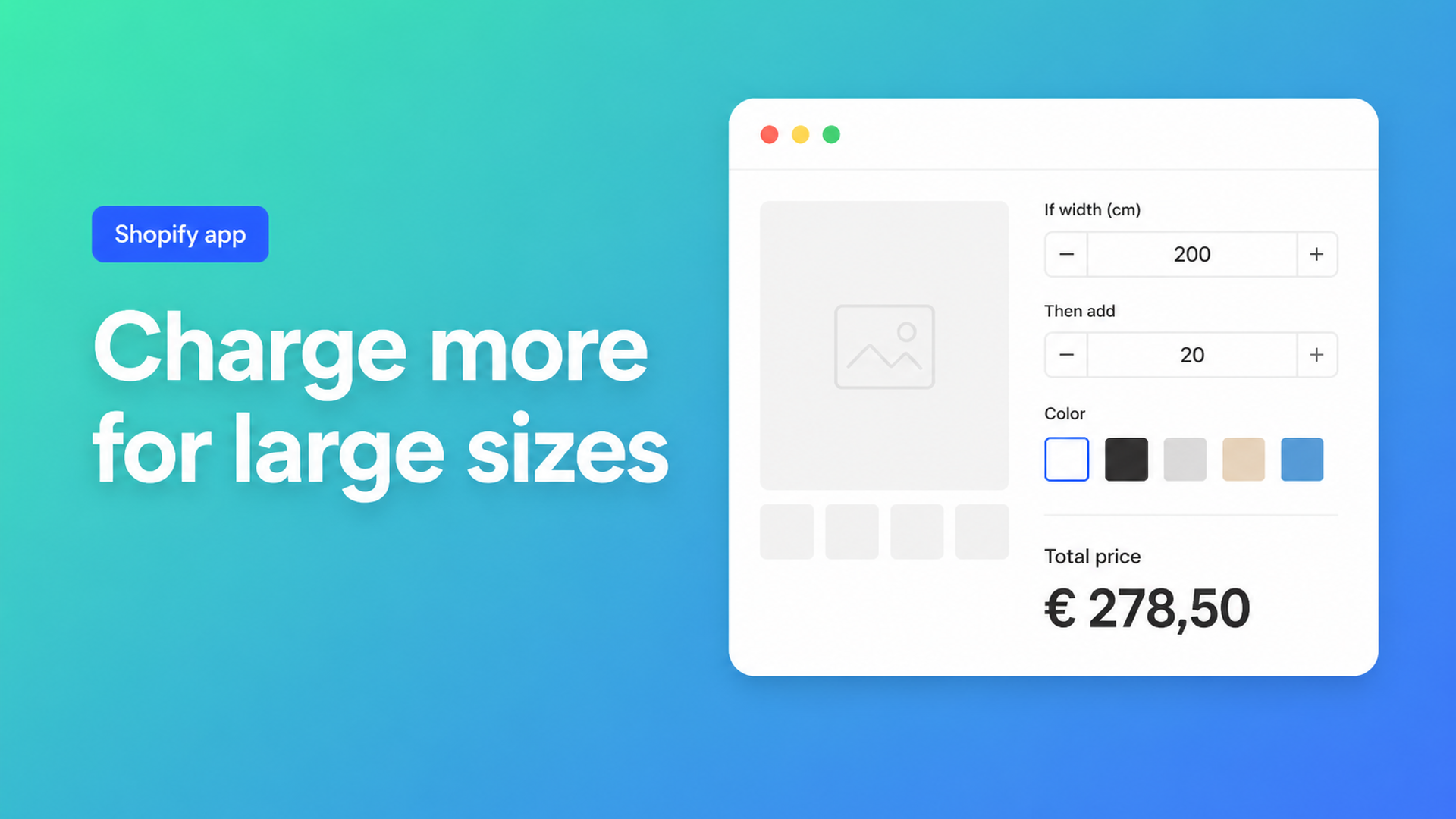
Shopify conditional pricing: charge more for large sizes without extra variants
A single square-metre rate looks clean in a spreadsheet until a customer orders a 240 cm panel. Waste, packing, a second person on the floor: your cost jumps. Native Shopify has no place to write that rule. You can only type a price onto a variant. Shopify conditional pricing is the missing layer: *if* the size, finish, or checkbox looks like this, *then* run a different formula.
This piece is for merchants who already have a base formula (width × height, a per-metre rate, a setup fee) and can see it is too blunt. You will see why extra SKUs do not give you if/then, how Options Price Calculator implements conditional formulas — a Premium feature — and how to trial that in one calculator without rebuilding the catalog.
When a single formula stops being honest
`product_price + (width * height)` is fine while every square costs the same. Real shops rarely live there:
Past a threshold (200 cm is a common one) the rate has to rise, because the sheet or roll no longer comes from one piece.
Tiny orders must not fall below the cost of setting up the machine.
A premium coating or install should cost more *only* when the shopper actually picks it.
That is not another dropdown. It is logic *about* the options. Shopify variants have no `if`; every combination is a price you type by hand.
In Sell same product of different sizes and each of different price a merchant has an Excel formula that follows size. Advice still lands on variants, or one rate for every size. Flattening the rate is the wrong move if large pieces genuinely cost more. How can I calculate product price based on customer input? covers the number field — with no branch when that number crosses a line.
What native Shopify will and will not do
Shopify Help Adding variants is unambiguous:
Each product may have up to three options (Size, Color, Style, and so on).
Each product may have up to 2048 variants.
The variant cap moved from 100 to 2048 in October 2025 (Shopify changelog). That helps when you truly need SKUs, not a continuous millimetre or “30 % extra above 200 cm.” A variant per millimetre is impossible; three size buckets force shoppers into bins your workshop does not use.
Theme line item properties (`properties[Width]`) store the typed value on the order. They do not change the price. We covered that trap in Shopify line item properties do not change price. Without a calculator or a Shopify Function, checkout stays on the variant price whether the shopper types 80 cm or 240 cm.
Workarounds that look like conditions
A variant grid of size bands
Three size bands × four finishes = twelve SKUs, each with its own price. It holds until someone needs 201 cm and lands in the cheap band, or until you add a fifth finish and hit the three-option ceiling.
A quote, or a hidden buffer
The page shows a from-price; large sizes arrive later by email. Or you bill everyone at the high rate “to be safe.” Small jobs become too expensive, large jobs stay tight, and you type the spreadsheet twice. The condition lives in your head, not in checkout.
None of these is if/then. They are detours because Shopify has no conditional price rule on the product itself.
How Options Price Calculator implements this (Premium)
Options Price Calculator puts unlimited fields on the product page (numbers, dropdowns, swatches, checkboxes, file upload) and updates the price live. A single formula — Starter plan — covers width × height, a setup fee, and a material multiplier. That pattern is in formula-based pricing on Shopify and in the pricing formula examples.
When the math *depends on a threshold or a choice*, you switch to conditional formulas. That is a Premium feature (listing: Conditional logic for dynamic pricing, $14.99/month on top of Starter). Conditional Pricing (Premium) documents the shape:
one or more conditions (evaluated top to bottom; first match wins);
a *then* formula when the condition is true;
a required *else* formula when nothing matches.
Comparisons: greater than, less than, greater or equal, less or equal, equal, not equal. Logic: AND / OR. Conditions may use field values, `product_price`, numeric metafields, computed properties, `TRUE`/`FALSE` for checkboxes, and `{key}_optidx` for the selected index of a dropdown, radio, or swatch (conditions only, not the regular formula).
Three copy-paste patterns from the docs.
Tiered rate by size — above 200, a higher multiplier:
``` Condition: width > 200 Then: product_price + (width * height * 1.3) Else: product_price + (width * height) ```
Minimum price — stops underpriced mini-orders:
``` Condition: (product_price + width * height) < 100 Then: 100 Else: product_price + width * height ```
Surcharge on an option — only when the checkbox is on:
``` Condition: premium_finish == TRUE Then: product_price + 20 Else: product_price ```
You can stack several conditions (large / medium / default). Each branch may override a computed property, for example a `surcharge` that is `0` until the threshold and then `area * 0.2`. Helpers such as `Math.min`, `Math.max`, and `Math.ceil` still work inside then/else formulas. Use the in-app preview with realistic sizes before you publish.
Live preview of the personalised product, and a real-time price breakdown, are also Premium. Do not list them as Starter features.
A worked example: acoustic panels with an oversize rule
You sell felt acoustic panels. The shopper types width and height in centimetres, picks a colour swatch, and optionally checks “fabric wrap on the edges.” Native size buckets would lie at 161 cm. In OPC:
`width` and `height`: number inputs, with min/max so 8 mm or 500 cm cannot reach checkout;
`colour`: swatch (price-neutral, or a numeric value if a colourway costs more);
`edge_wrap`: checkbox, value `18` or `0`;
computed property `area` = `width * height / 10000` (m²).
Condition 1: `width > 180 OR height > 240`. Then: `product_price + (area * 95) + edge_wrap`. Else: the same with `72` instead of `95`. Optionally floor tiny samples at 90 so cutting time is covered.
The total on the page jumps when width crosses the line. The order carries the centimetres, so production does not guess. Inventory stays on the felt SKU, not on every millimetre.
The same skeleton works for printed boards, window film, or fabric: the condition hangs off *size or choice*, not off another variant.
What you need to go live
Install Options Price Calculator from the Shopify App Store. Free: 20 uses (always free on a develop store). Starter ($9.99/month) covers unlimited options, the formula builder, metafields, AI-assisted fields, and multilingual labels. Conditional logic is Premium ($14.99/month).
Add the app block to the product template, ideally below the price and above Add to cart. Walkthrough: How to Add the Extension to the Product Page.
Build fields and a single formula first. When the base math is right, switch to Conditional formulas (Premium). Always keep a safe else formula.
Link the calculator per variant. Wood and metal can carry different thresholds; see Linking Products & Variants.
Preview a size below the threshold, on it, and above it. Confirm checkout: the calculated price is validated server-side, not only in the browser.
Themes differ; use the selector picker for price and Add to cart when the default bindings miss. That is setup, not “works on every theme with zero configuration.”
Recap
Shopify gives you three options and up to 2048 variants. That is inventory, not if/then. Shopify conditional pricing belongs in a branched formula: a higher rate for large sizes, a floor price, a surcharge only when the finish is on.
Options Price Calculator supplies the fields and the live total without extra SKUs. The if/then layer is Premium. Start from the listing, paste one threshold from the Conditional Pricing docs, and let checkout enforce the rate your workshop already uses.

The Shopify Select partner for ambitious e-commerce businesses that want to grow!


Services
Reviews
5/5
Mail: info@onlineorigins.nl
Tel: 073 234 0612
KVK: 89825624
BTW: NL865123639B01
Bruistensingel 500,5232 AH 's-Hertogenbosch Cookies
© 2026 Online Origins