
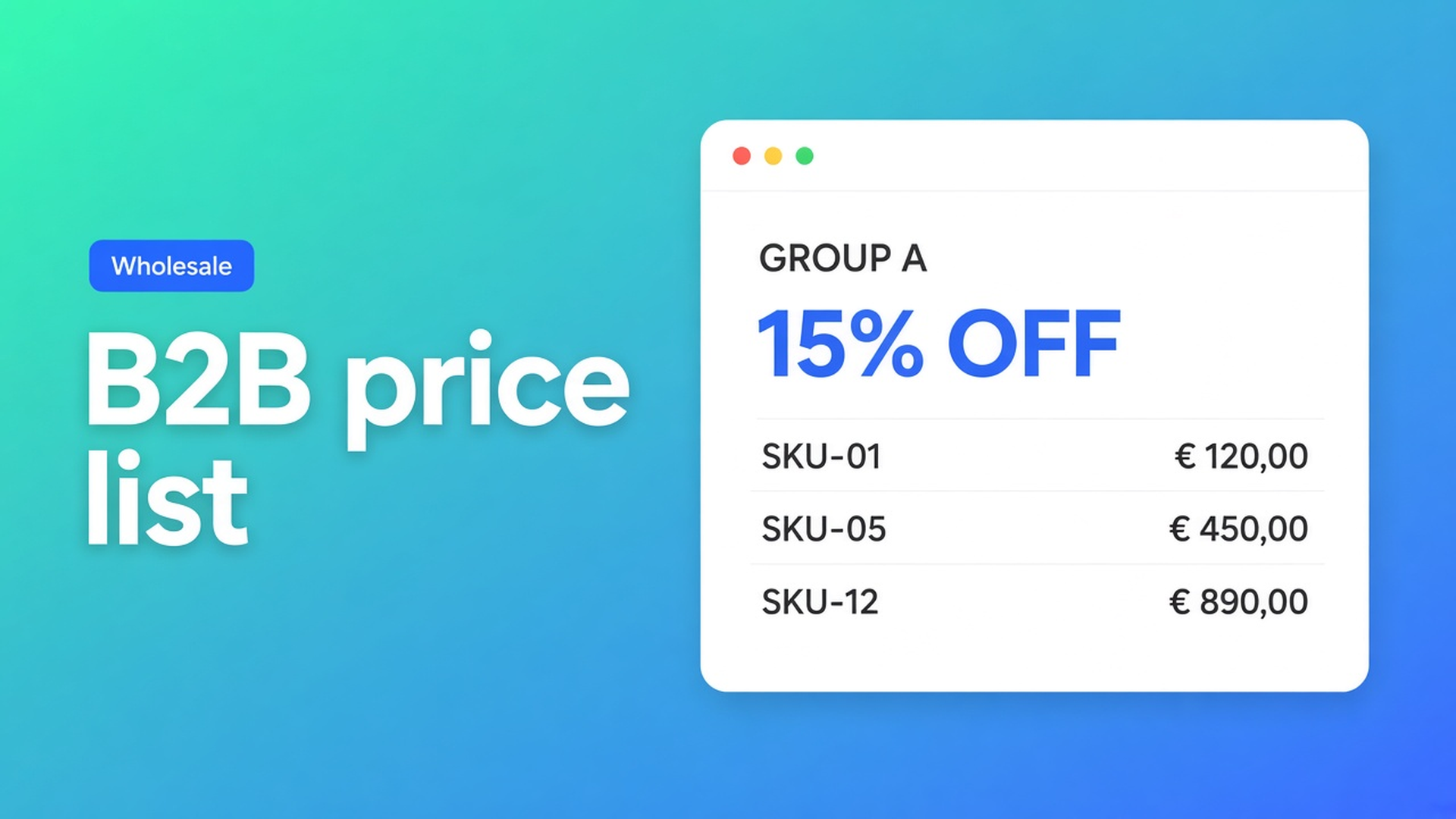
Shopify B2B pricing import: load a group list without retyping 400 SKUs
Anyone searching Shopify B2B pricing import usually has a sheet: column A SKU, column B net price, column C “T2 −20%”. The reflex is to paste that into Shopify product prices. That is not an import. It is a second catalogue that is already stale tomorrow.
This article covers why dumping Excel into variant prices fails, what Shopify’s own B2B catalogs do, and how OO - EU B2B & Wholesale treats a price list as one strategy per bulk form — without changing the regular product page.
We already covered prices per customer group and volume discount as a percentage. Here the subject is the step before go-live: getting an existing list into the store without typing 400 rows.
A spreadsheet is not a Shopify price
Shopify product prices are retail. Put wholesale nets there and everyone sees the net — or you spin up a second shop. Native B2B catalogs exist. Catalogs and pricing in B2B ties products and prices to companies. Basic/Grow/Advanced cap how many active catalogs you can assign; Plus is looser. That is a real Shopify path, including catalogue management in admin. Many mixed D2C + wholesale shops still use ordinary customer accounts and tags. Then Shopify B2B pricing import is a tag-level problem in the same store where retail stays untouched.
The OO B2B listing lists pricing import among pricing categories, next to custom pricing, customer groups, tiered/volume discounts. What the docs actually specify is not “your spreadsheet overwrites the product page”. It is: prices live inside the bulk form, for customers who can see that form.
Workarounds that stall after the first upload
1. Variant price = net from Excel
You paste column B into Shopify. Retail is gone. Or you add a “wholesale” variant per SKU. The catalogue explodes, inventory splits, feeds break.
2. Every SKU typed into one form
Individual prices per product — the docs support that — for 400 SKUs. A retail increase means 400 edits. That is not import; it is maintenance.
3. One CSV through a checkout discount
Fast, public, not per group. Same code for installer and distributor. Leak risk.
4. Two Shopify stores, “then we import twice”
Two catalogues, two inventories, every change twice.
None of those give you: T1 tracks retail at −10%, Contract A has twenty exceptions, retail still shows the shelf price.
How a price list actually lands in OO B2B
OO - EU B2B & Wholesale is Built for Shopify. Listing: $8.95/month or $101.88/year (5% off), 7-day trial, USD. 5.0 from 33 reviews. Categories: custom B2B pricing, customer groups, pricing import, order forms, product visibility. How B2B pricing works: prices apply only inside the bulk form. They do not change Shopify product prices, do not affect the regular product page, and do not stack with other forms. Everyone else keeps seeing normal Shopify prices.
Each form uses one strategy:
Percentage discount — one number off the original Shopify price; follows retail when it changes. Docs example: 10% turns €100 into €90. Best practice for scalable tiers.
Individual prices per product or variant — negotiated / contract amounts. You type the figure; it is not recalculated automatically.
Fixed price for every product in the form — uniform assortment.
That is the import decision. If Excel says “everywhere −15%”, you do not import 400 cells. You create form `Wholesale_T2`, set percentage 15, attach tag `Wholesale_T2`. All products includes current and future SKUs. New products do not need another paste.
If Excel says “SKU 88A = €12.40, SKU 88B = €18.10”, that is individual prices: Pricing → Individual prices → variant → amount. Use it for negotiated accounts, not for the whole wholesale book. The docs: do not mix individual and percentage across forms if you can no longer explain the logic; rules inside one form do not stack.
Multiple groups = multiple forms. Can I use multiple bulk order forms?: each form has its own products, prices, visibility. A customer sees one form. Do not reuse tags across forms. Tag visibility: the customer must be logged in; matching is OR; adding a tag on the form does not assign that tag to customers.
Do not claim the imported list appears on the regular product page. It does not. Always test with a logged-in test customer.
Example: three columns, two forms
Your sheet has Retail, T1 (−10%), Contract Studio X (fixed nets).
Form T1: All products, percentage `10`, visibility tag `Wholesale_T1`. Retail goes up? T1 follows.
Form Studio X: the same or a narrower collection, individual prices for the twenty SKUs from the email, tag `Contract_StudioX`. Do not add “a bit of percentage” for the rest of the catalogue in this form — that is another form, or those SKUs stay out.
Retail: no form, no tag. Shelf price.
You do not type 400 T1 prices. You do type the contract exceptions. That is the difference between importing a *rule* and retyping a *grid*.
Prices stay missing if the form is off, the customer has no access, no pricing rule is set, or the product/variant is not in the form. Same overview page.
What you need to start
Install OO - EU B2B & Wholesale. $8.95/month or $101.88/year, 7-day trial, USD.
Split the sheet: which groups are a percentage, which are contract nets.
Create a bulk form per group. One pricing method. All products or a collection.
Set visibility to tags. Tag testers in Shopify admin. Log in as that customer.
Check: the form shows the rate, the product page shows retail, the cart follows the form.
Registration and approval belong to onboarding, not to the price import. List first, then who may see it.
Wrap-up
Shopify B2B pricing import is not a second catalogue in the variant matrix. It is one strategy per group in a bulk form: percentage when the sheet is a factor, individual prices when it is contract amounts. Native Shopify stops at retail prices (or Plus catalogs); this app keeps wholesale behind login and leaves retail alone.
Put the rule from your spreadsheet into OO - EU B2B & Wholesale and let the next T1 buyer see their list without you typing 400 cells.
This blog is presented to you by

Floris-jan de Vries
Co-owner / Back-end developer / Shopify Expert
As a full-stack developer, Floris-Jan ensures the technical logic behind the design. He also uses his extensive knowledge of Shopify every day to provide our clients with the best possible support.


The Shopify Select partner for ambitious e-commerce businesses that want to grow!

Services
Reviews
5/5
Mail: info@onlineorigins.nl
Tel: 073 234 0612
KVK: 89825624
BTW: NL865123639B01
Bruistensingel 500,5232 AH 's-Hertogenbosch Cookies
© 2026 Online Origins