
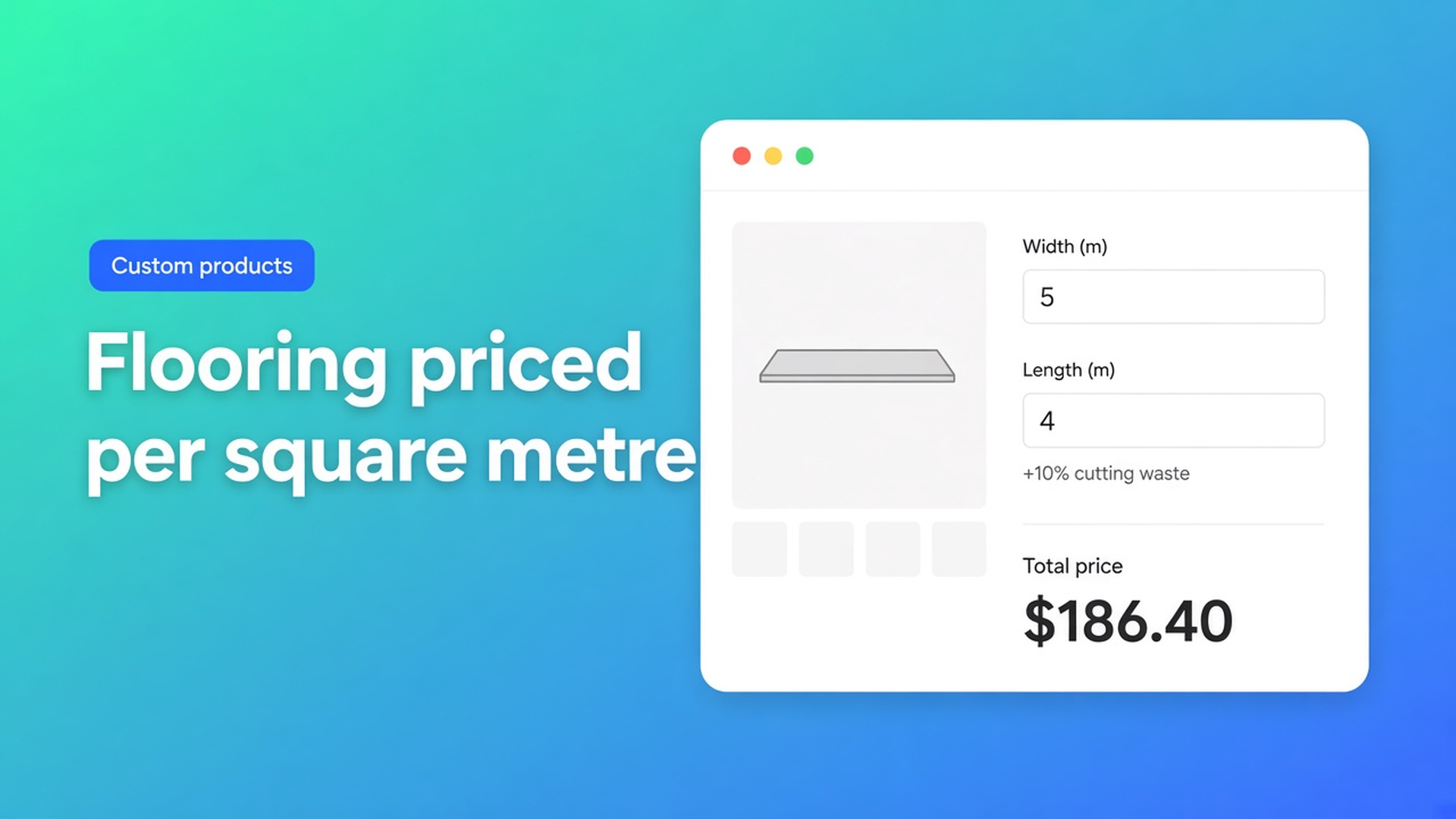
Shopify flooring price per m2: area plus cutting waste in the formula
Rubber tiles, vinyl plank, carpet tiles, gym flooring: the price follows the room, not an S/M/L grid. If you need a Shopify flooring price per m2, two native limits show up fast. Variants cannot store a continuous width and length. And the real sell price is rarely raw area times a rate — you need cutting waste, rounding up to whole metres, and often a material multiplier.
This article covers why a room-size variant matrix fails, how to put area plus waste into one formula, and how Options Price Calculator shows that live on the product page — without a SKU for every centimetre.
We already walked through price per square metre in general. Here the job is flooring: a waste factor, rounding up, and inventory that stays on thickness or collection, not on room size.
Variants stock SKUs, not rooms
Shopify variants are stocked combinations. Adding variants caps a product at three options (Collection, Colour, Thickness, …) and 2048 variants. The old 100-variant cap is gone; the three-option cap is not. Extra cells in the matrix still will not give you a continuous floor plan.
A room of 4.23 × 6.10 m does not fit “4 m × 6 m”. Every extra centimetre as a variant is a SKU you will never receive from the mill. Theme line item properties (`properties[Width]`) store the numbers on the line item and do not change the price. Shoppers type dimensions and still pay the static product price — or you quote by email.
Keep collection, colour and thickness as real variants when they drive purchase orders and warehouse bins. Leave the square-metre maths out of that matrix.
Workarounds that stall checkout
1. A grid of room sizes
Widths 3–8 m in 50 cm steps, lengths the same. You will not hit 2048 immediately, but it is not a real room. A 3.40 m width falls between steps, or the shopper over-buys. Waste is not in the price.
2. Boxes as the product
“Pack covers 2.23 m²” plus a calculator in the description. Fine for DIY tiles until someone orders the wrong count, support redoes the sum, and your install add-on has nowhere to live.
3. Manual quotes
Measure sheet in, price back. No self-serve checkout, no live total, no repeat order in one click.
None of those give you one URL, real SKUs for colour/thickness, and a total that grows with the room plus waste.
Area and waste belong in the formula
Options Price Calculator is Built for Shopify. The listing: unlimited product options (number inputs, dropdowns, swatches, file upload, and more) and dynamic prices from formulas, without extra variants. Live preview, conditional logic and the font picker are Premium — say so.
Flooring wants two number fields, for example `width` and `length` in metres. The docs Pricing / Formula Examples show “price per square meter” as:
``` product_price + (width * height) ```
That is base price plus area. For a Shopify flooring price per m2, `product_price` is often the current variant’s rate per square metre. Then you multiply, in the same pattern as the quantity example (`product_price * quantity`):
``` product_price * width * length ```
Cutting waste is not another variant. It is a factor. Ten percent waste:
``` product_price * width * length * 1.10 ```
To sell in whole square metres (rolls, packs), Variables and Field Values exposes `Math.ceil`:
``` product_price * Math.ceil(width * length * 1.10) ```
`product_price` is always the current variant price. Switch from 8 mm rubber to 12 mm and the rate follows. Thickness stays a Shopify variant (inventory). Room size stays a calculator field.
You can split the work with computed properties: a “surface area” variable holding `width * length`, then reuse it in the final formula. Same variables article. Keep formulas readable; the examples page says to apply rounding last.
Material as a multiplier: a dropdown `material` with numeric values (1 / 1.15 / 1.4) and `product_price * width * length * 1.10 * material`, matching example 3 (`product_price * material_type`).
If waste differs by SKU, a numeric product metafield (`product_metafield__{namespace}__{key}`) can hold the factor instead of hard-coding `1.10`.
Example: rubber gym flooring
Rubber tiles for a home gym. Variant options: Thickness (8 mm | 12 mm) and Colour (black | grey). Those are stocked SKUs. Shoppers enter width and length in metres.
Fields:
Number input `width` (m), min/max matching what you can cut
Number input `length` (m)
Optional dropdown `finish` as a multiplier (standard / anti-slip)
Formula, 8% waste, round up:
``` product_price * Math.ceil(width * length * 1.08) ```
Or with finish:
``` product_price * Math.ceil(width * length * 1.08) * finish ```
Higher rate for large halls? That is Premium conditional pricing, example 7: if `width > 200` (or your threshold) use a higher factor, else the standard formula. A floor under the total, for example never below 100, is example 6 — also Premium. Do not present those as Free/Starter.
A file-upload handling fee exists (`product_price + file_upload` in the docs) if you truly need a floor plan in fulfillment. It is not required for the area sum.
Link the calculator to the thickness/colour variants with Linking Products & Variants. One calculator is enough when only `product_price` changes. A different formula per collection? Assign a second calculator on those variants.
Get it on the product page
Install Options Price Calculator. Free: 20 uses (always free on a Shopify Develop plan). Starter $9.99/month: unlimited options, formula builder, metafields, multilingual. Premium $14.99/month: + conditional logic, live preview, price breakdown. Billed in USD.
Add the app block on the product template, below the price and above Add to cart — How to Add the Extension to the Product Page.
Create width and length number inputs. Put waste in the formula (`* 1.10`) or in a metafield when it varies by product.
Keep collection, colour and thickness as Shopify variants. Do not variant the room.
Test: switch variants, enter 4.2 × 6.1, check the live price, rounding and the cart.
Server-side price validation (app-wide setting) stops the browser-only price from being trusted blindly. Theme bindings exist because some themes use a non-standard variant selector — do not claim zero-setup on every theme.
When the m² rate lives in a metafield rather than the variant price, see metafields in a pricing formula.
Wrap-up
A Shopify flooring price per m2 is not a grid of room SKUs. It is area × rate, plus waste and optional `Math.ceil`, on a calculator linked to real inventory variants. Native Shopify stops at three options and 2048 variants; continuous metres and waste percentages belong in the formula.
Put width, length and your waste factor in Options Price Calculator and let the next shopper check out the room without a quote.

The Shopify Select partner for ambitious e-commerce businesses that want to grow!


Services
Reviews
5/5
Mail: info@onlineorigins.nl
Tel: 073 234 0612
KVK: 89825624
BTW: NL865123639B01
Bruistensingel 500,5232 AH 's-Hertogenbosch Cookies
© 2026 Online Origins