
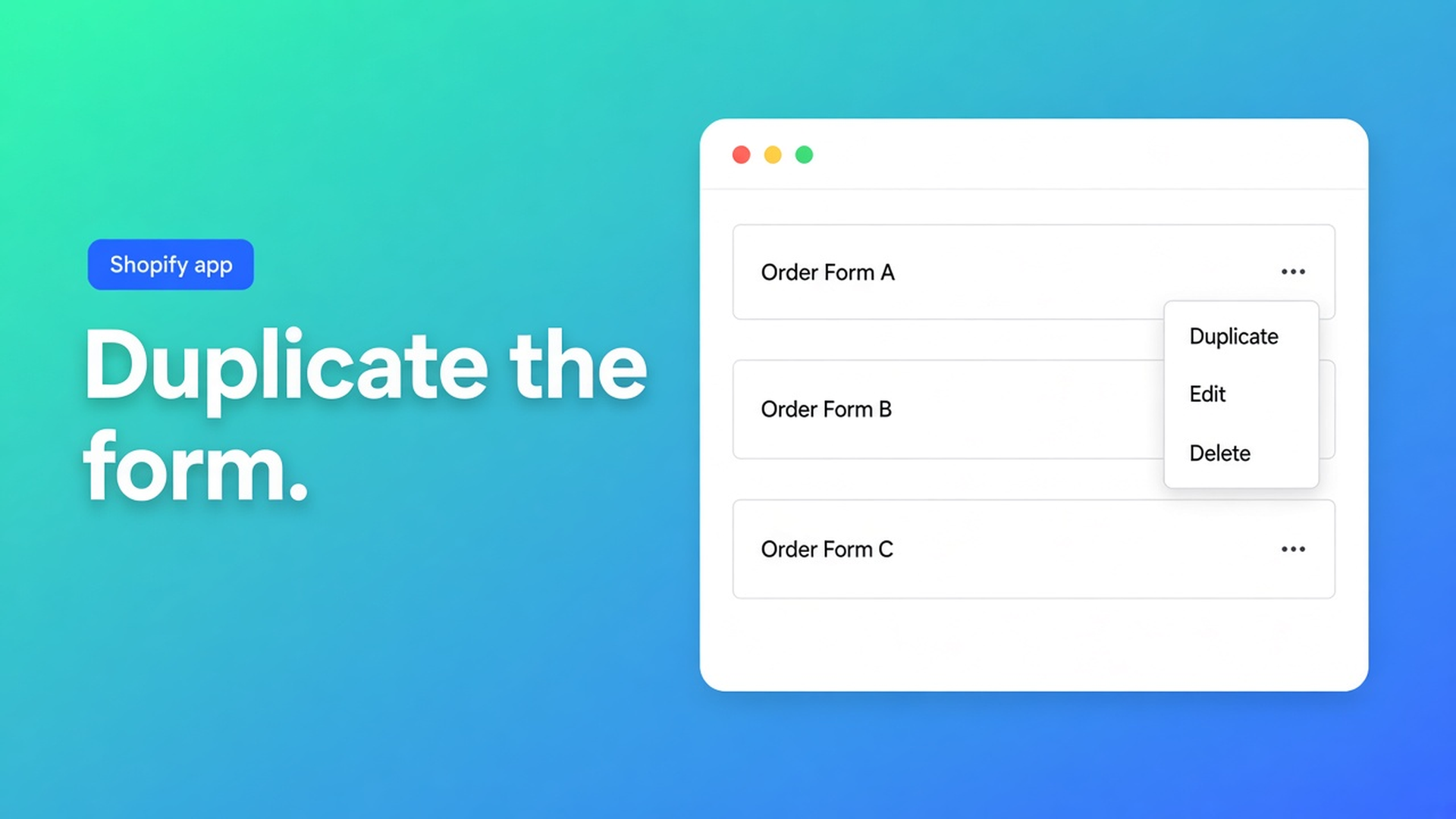
Duplicate a Shopify bulk order form
The grid for tag `Wholesale_T1` is live. Resellers need almost the same SKUs, a handful removed, different breaks. Editing the live form mid-day is how a buyer hits the wrong discount. To duplicate a Shopify bulk order form is the three-dot action — not a second grid from a blank screen, and not “we’ll switch it back after lunch”.
OO - EU B2B & Wholesale copies products, pricing rules and visibility. It does not copy orders. The clone is off. The name is the same until you rename it. The original stays put. You turn the copy on.
Related: what a bulk order form is. This article is only Duplicate — then why you still split tags before On.
Two groups on one live grid
Shopify Customers and tags decide who is signed in. They do not spawn a second order grid. Native Plus catalogs are a different path. This app is its own wholesale layer: registration, prices, bulk forms.
You can run several bulk order forms. Each has its own products, prices and visibility. A customer sees one. If two forms match the same buyer, the app shows one. Overlapping tags are not “both discounts”. They are a coin flip.
Until Duplicate exists, shops tend to:
Rebuild the live form for resellers. Tier 1 emails that SKUs vanished.
Tick the same hundred products on a blank form and forget the breaks.
Leave “All customers” on form A and a tagged form B — overlap.
None of that is: copy, rename, split tags, enable, sign in as the other group.
What the copy keeps
Listing (3 Nov 2026): Built for Shopify, 5.0 from 34 reviews. Free: one custom pricing rule, one registration form, development stores uncapped. Starter $22/mo (or $220/year): unlimited prices, volume pricing, registration forms, EU tax exemption, tax display, login to see prices. Growth $37/mo (or $370/year): Starter plus bulk forms, draft checkout, repeat orders, quote request, order limits, wholesale cart. 14-day trial on paid plans. USD.
Bulk forms are a Growth line. Duplicate only matters on that plan, or on a development store with no caps.
From How to duplicate a bulk form:
Shopify admin → Apps → B2B & Wholesale → Bulk order forms.
Find the form.
Three dots → Duplicate.
The copy exists immediately. Then:
Off. Disabled forms never render.
Name copied. Rename to `Wholesale – Resellers`, not `Copy of …`.
Settings kept: product selection, pricing rules, visibility.
Original untouched.
No order data. Past bulk orders stay on the old form. Repeat orders follow the form the buyer used then, not the clone.
Visibility is per form. Duplicate a `Wholesale_T1` form and the same tag will match the clone the moment you enable it. Point the copy at `Resellers` (or named customers) *before* On. Two enabled forms with one tag: the app picks one.
Multiple forms: each form is enabled on its own. Off stays off. Buyers never see two grids at once.
When a copy beats a blank form
Docs list three jobs:
A similar form for another group
A test that must not touch the live grid
Different prices or visibility on a similar catalog
Example: Tier 1 takes 10% off the grid. Resellers get cost prices on the same SKUs minus exclusives. Duplicate, change the copy’s pricing, drop three products, swap the tag. Tier 1 keeps checking out.
Skip Duplicate when the second group’s catalog is mostly different. A blank form is cheaper than deleting 80% of a clone.
The theme still needs a page or product-page extension. Duplicate copies app settings, not a second Shopify page. Attach the copy to the page that group uses, or keep one bulk page if visibility already splits the audience.
Repeat orders sit on Growth with bulk forms. A buyer who reorders from history is tied to the form they used, not to a clone you made later. Do not expect yesterday’s Tier 1 order to open the reseller grid. Test Repeat orders per group after both forms are on.
Quote request and draft checkout are also Growth lines. Duplicate does not turn them on; it only copies the bulk form you already had. If the original had no quote flow, the clone will not invent one.
Walkthrough: keep Tier 1, clone for resellers
“Northlight Wholesale” runs `Wholesale – Tier1`, tag `Wholesale_T1`, 10% on the grid, product page on, bulk page on. Growth plan.
Open OO - EU B2B & Wholesale. Bulk forms: Growth ($37/mo) or development, no caps.
Three dots on `Wholesale – Tier1` → Duplicate.
Rename `Wholesale – Resellers`. Leave it off.
Visibility: tag `Resellers`. Not `Wholesale_T1`. Not “All customers”.
Pricing: cost prices instead of 10%. Remove three SKUs.
On. Private window, test customer with only `Resellers`. Check grid, prices, missing SKUs.
Second window: `Wholesale_T1`. Old form, old break. No reseller prices.
If a Tier 1 buyer sees the reseller grid: overlap. Same tag on two enabled forms. Docs: the app chooses one. Drop the shared tag from the copy.
Product-page extension: only if that group should see the form there. Otherwise the bulk page is enough.
Ship it
Duplicate is not a publish. It is an off copy. Rename, split tags, edit prices, then On. Two logins. One customer, one form.
Free and Starter do not list bulk forms. A development store is the place to rehearse the clone before Growth goes live.
Wrap-up
To duplicate a Shopify bulk order form: three dots → Duplicate. Products, prices, visibility travel. Orders do not. The clone is off. The original does not change. You enable it after the tags no longer overlap.
Clone it in OO - EU B2B & Wholesale before you open the live Tier 1 grid for a second audience.

The Shopify Select partner for ambitious e-commerce businesses that want to grow!


Services
Reviews
5/5
Mail: info@onlineorigins.nl
Tel: 073 234 0612
KVK: 89825624
BTW: NL865123639B01
Bruistensingel 500,5232 AH 's-Hertogenbosch Cookies
© 2026 Online Origins